pCloud vs Google Drive: which should UK buyers pick?
Updated 27 October 2026 · Facts checked against pCloud's and Google's official pages on 27 October 2026
Quick answer
Pick Google Drive (Google One) if you live in Gmail and Google Docs, want small amounts of storage cheaply, or already get Google One storage through another plan. Pick pCloud if you want to pay once with a Lifetime plan, want a choice of EU or US storage, or want zero-knowledge encryption and are happy to pay extra for it. Neither gives you client-side encryption on a standard personal plan.
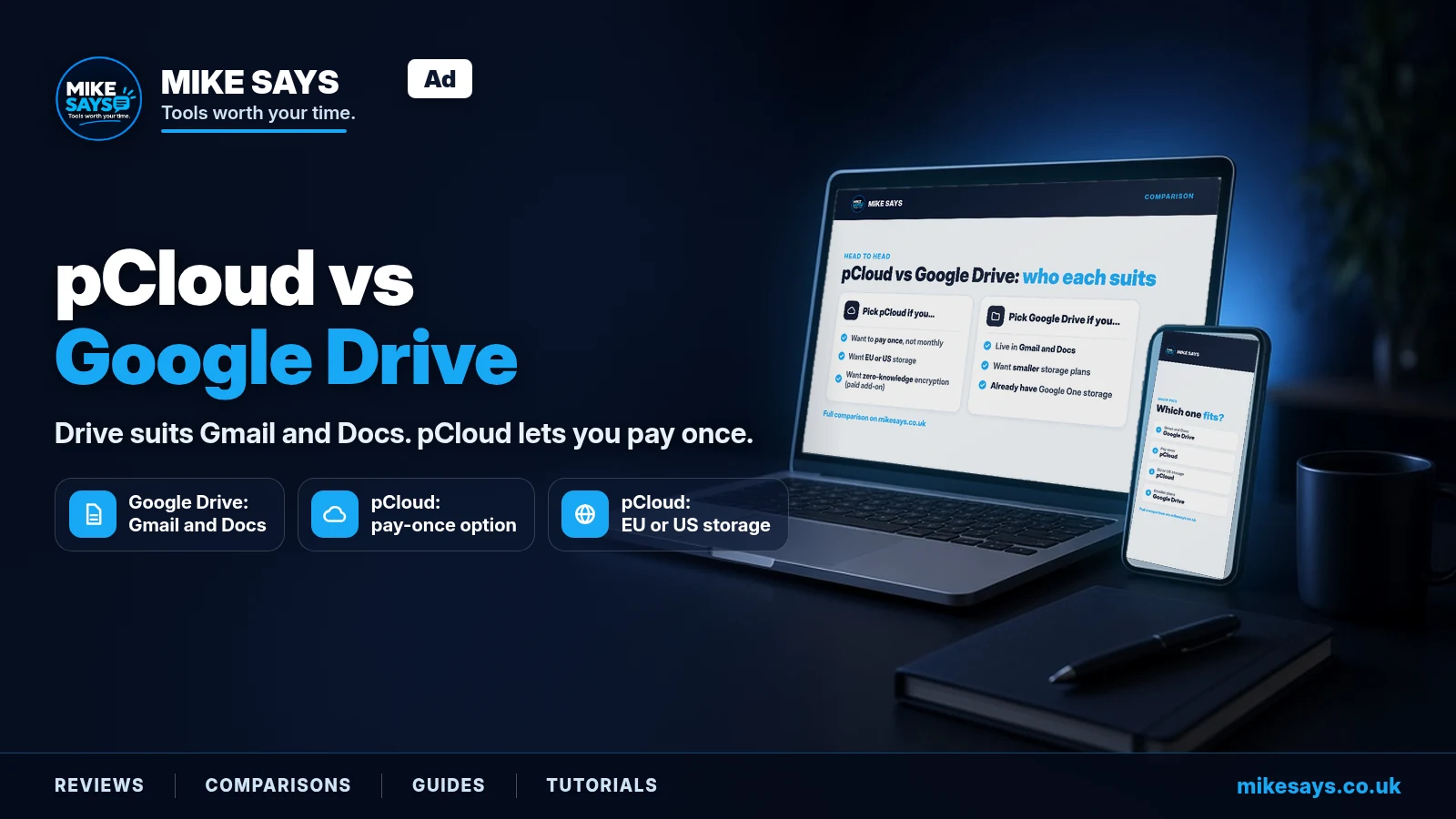
pCloud vs Google Drive at a glance
| pCloud | Google Drive / Google One | |
|---|---|---|
| Free storage | Up to 10 GB (2 GB when you sign up, more by completing tasks and inviting friends) | 15 GB, shared across Gmail, Drive and Photos |
| Paid storage sizes | 500 GB, 2 TB, 10 TB (Family: 2 TB or 10 TB) | 100 GB, 200 GB, 400 GB or 2 TB (AI Plus), 5 TB (AI Pro) |
| Monthly prices (UK) | Premium 500 GB £4.99 Premium Plus 2 TB £9.99 Ultra 10 TB £29.99 (per month, checked 27 October 2026) | Basic 100 GB £1.59 Standard 200 GB £2.49 Google AI Plus 400 GB £4.49 Google AI Plus 2 TB £7.99 Google AI Pro 5 TB £18.99 (per month, checked 27 October 2026) |
| Annual prices (UK) | Premium £49.99 Premium Plus £99.99 Ultra £299.99 (per year, checked 27 October 2026) | Basic £15.99 Standard £24.99 AI Plus 400 GB £44.99 AI Plus 2 TB £79.99 AI Pro £189.99 (per year, checked 27 October 2026) |
| Lifetime (one-off) option | Yes: Premium, Premium Plus, Ultra and Family. Premium £219, Premium Plus £499, Ultra £1,499 (checked 27 October 2026) | No. Subscription only |
| Encryption | TLS/SSL in transit and 256-bit AES. Zero-knowledge, client-side encryption is a paid add-on (pCloud Encryption) on every personal plan, Lifetime included | Encrypted in transit and at rest. No client-side encryption on consumer accounts |
| Desktop and mobile apps | pCloud Drive (virtual drive) with optional two-way Sync folders. Windows (10 or later), macOS, Linux, iOS, Android | Drive for desktop, with Stream or Mirror modes |
| Docs editing | pCloud Docs: six editors on web and mobile. None in the desktop app | Google Docs, Sheets and Slides, which can also edit Microsoft Office files |
| Family sharing | Family Lifetime plan only: owner plus 4 members, each with a private account | Basic and above: share with up to 5 other people (6 in total) |
| Server location | You choose EU (Luxembourg) or US (Dallas, Texas) at sign-up | No consumer choice covered in our research |
Pricing
Google One prices (UK)
Google's UK Google One prices on 27 October 2026, at standard prices:
- Basic, 100 GB: £1.59 a month or £15.99 a year
- Standard, 200 GB: £2.49 a month or £24.99 a year
- Google AI Plus, 400 GB: £4.49 a month or £44.99 a year
- Google AI Plus, 2 TB: £7.99 a month or £79.99 a year
- Google AI Pro, 5 TB: £18.99 a month or £189.99 a year
All prices checked 27 October 2026. Google's plans page says you can cancel at any time.
Check the plan picker on Google One before you buy.
pCloud prices (UK)
pCloud sells its personal plans three ways: monthly, annual or as a one-off Lifetime payment.
| Plan | Storage | Monthly | Annual | Lifetime (one-off) |
|---|---|---|---|---|
| Premium | 500 GB | £4.99 | £49.99 | £219 |
| Premium Plus | 2 TB | £9.99 | £99.99 | £499 |
| Ultra | 10 TB | £29.99 | £299.99 | £1,499 |
pCloud UK prices checked 27 October 2026.
pCloud's help centre lists GBP as the payment currency for UK users. pCloud's UK pricing page says prices are final, with no setup fees or hidden charges. Always check the price at checkout.
pCloud's pricing page offers a 14-day money-back guarantee. Its terms say the refund window runs 14 calendar days from the payment date. They also say pCloud may decline a refund if you bought through a promotional campaign or with a discount. If you cancel a subscription, you don't get money back for unused days.
There's no free trial on pCloud's paid personal plans. The free account is the way to try it.
How the prices line up
The closest matches by size are:
- Around 400–500 GB: Google AI Plus (400 GB) at £4.49 a month, against pCloud Premium (500 GB) at £4.99 a month.
- 2 TB: pCloud Premium Plus at £9.99 a month, against Google AI Plus (2 TB) at £7.99 a month.
- 5 TB and up: Google AI Pro gives 5 TB for £18.99 a month. pCloud has no 5 TB plan. Its next step after 2 TB is Ultra at 10 TB.
Under 200 GB, Google is the only one of the two with a paid tier at all. pCloud's smallest paid plan is 500 GB.
Storage and plans
Free storage
Google gives every account 15 GB free. That space is shared across Gmail, Google Drive and Google Photos. So a busy inbox eats into your Drive space.
pCloud's free plan offers up to 10 GB. You start with 2 GB. You unlock more by doing simple tasks, such as verifying your email and logging in to the desktop and mobile apps, and by inviting friends. pCloud deletes free accounts that have been inactive for 12 months.
Paid plans
pCloud has three personal sizes: Premium 500 GB, Premium Plus 2 TB and Ultra 10 TB. Each plan also has a monthly allowance for traffic through shared links: 1,000 GB on Premium, 4 TB on Premium Plus and 20 TB on Ultra.
Google One has Basic (100 GB) and Standard (200 GB), then the AI plans: Google AI Plus (400 GB or 2 TB) and Google AI Pro (5 TB). Your free 15 GB counts as part of the total, not on top of it.
A Google help page says AI Pro can be 5 TB or 10 TB depending on your membership. The figures above are the ones Google showed for the UK. Check what the plan picker shows you before paying.
Family plans
pCloud Family is Lifetime only, at 2 TB or 10 TB. It covers you plus 4 family members. Each person gets their own private account, and members can't see each other's files.
Google One lets you share Basic and above with up to 5 other people at no extra cost, so 6 in total. On Google AI Pro, Google says family members also get the AI features at no extra cost.
The pCloud Lifetime plan
This is pCloud's big difference. Google One has no one-off option.
What "Lifetime" means
pCloud says Lifetime lasts "99 years or the lifetime of the account holder, whichever is shorter". It's tied to you. pCloud's terms say user accounts are not transferable.
The value case
If you know roughly how much space you need and expect to keep paying for cloud storage for years, a one-off payment can beat a subscription over time. You also stop worrying about renewals.
Whether it pays off depends on how long you keep it. We've done the break-even sums on our pCloud Lifetime guide, so we won't repeat them here.
On 27 October 2026, pCloud's UK Lifetime prices were £219 for Premium (500 GB), £499 for Premium Plus (2 TB) and £1,499 for Ultra (10 TB).
The risks
- It's a big upfront cost. You pay for years of storage on day one.
- Encryption is extra. Lifetime storage doesn't include pCloud Encryption. That's a separate purchase, with its own Lifetime option.
- Upgrading doesn't stack. If you move from a monthly or annual plan to Lifetime, Lifetime replaces the subscription. The storage doesn't combine.
- The refund window is short. You get 14 days from payment. After that, you're committed.
- No Lifetime for business. pCloud Business is monthly or annual only.
- You can't pass it on. The account isn't transferable.
For the full list of risks, see Is pCloud Lifetime worth it?.
Privacy and encryption
Standard encryption
pCloud says all plans get TLS/SSL channel protection and 256-bit AES encryption.
Google says Drive data is encrypted in transit and at rest.
Neither of these is the zero-knowledge kind, where only you hold the key.
Zero-knowledge encryption
pCloud Encryption is a paid add-on on every personal plan, Lifetime and Family included. It's client-side and zero-knowledge. Your files are encrypted on your device before upload, and only you hold the key. It adds a Crypto folder to your account. You can keep both normal and client-side encrypted files.
Two catches pCloud lists:
- Files in the Crypto folder can't be made available offline in the mobile app.
- Your Crypto Pass can't be reset by email. A reset deletes your encrypted files.
Some pCloud pages use the phrase "end-to-end encryption" for all users. Don't let that confuse you. The zero-knowledge, client-side kind is the paid add-on. pCloud Business includes it.
Google doesn't offer client-side encryption on consumer accounts or any Google One plan. It's only in certain Google Workspace editions: Frontline Plus, Enterprise Plus, Education Standard and Education Plus. Google says people with a consumer Google account, such as Gmail users, can't access client-side encrypted content.
Where your data lives
pCloud lets you choose EU (Luxembourg) or US (Dallas, Texas) just before you sign up. All your data sits in that one region. On a Family plan, the owner's region applies to everyone.
You can move region later from your account settings, but there's a one-off fee. pCloud's help centre says you can only do this once every 3 months. You lose your Rewind history, and password-protected links need new passwords. Folder invites only work between people in the same region, though shared links work across regions.
pCloud's security page also says it follows Swiss privacy law and GDPR, and holds ISO 27001:2013 certification.
We didn't find a data-location choice for Google consumer accounts in our research.
Apps and everyday use
Desktop apps
pCloud Drive works as a virtual drive. Your files appear on your computer as if they were local, but by default they don't use local disk space. If you want offline copies, you can set up Sync folders, which mirror both ways. pCloud has apps for Windows (10 or later), macOS, Linux, iOS and Android.
Google Drive for desktop has two modes:
- Stream: files stay in the cloud and are only available while the app is running. You can mark single files or folders for offline use.
- Mirror: keeps a full copy on your computer, so everything is available offline.
Shared drives only stream. The app supports up to 4 accounts.
Uploads
pCloud's web app only supports folder uploads in Chrome and Edge.
pCloud's pages say you can upload files of any size. Its help centre also lists upload traffic allowances per 30 days: twice your storage on Free, up to 1 TB on Premium, and up to 4 TB on Premium Plus and Ultra. We couldn't confirm how those two fit together, so check with pCloud if you plan to upload a lot in one go.
We didn't research Google's file-size limits for this guide.
Google ecosystem and Docs
This is where Google is hard to beat.
Google Docs, Sheets and Slides are built into Drive. Google says you can edit, download and convert Microsoft Office files in them. You can also edit Office files and PDFs in real time from Drive.
Your Google One storage is shared with Gmail and Google Photos. If those are already your daily tools, one plan covers all three. Google's AI plans add Gemini features too. AI Plus includes Gemini in Gmail, Vids and more. AI Pro adds Gemini in Docs.
pCloud now has pCloud Docs on every Premium plan. pCloud says it has six built-in editors for documents, spreadsheets, presentations, PDFs, text and markdown, with real-time collaboration, comments and suggestions. It works in the browser and the pCloud mobile app. The desktop app has no built-in editors, so files open in whatever software you have installed.
We couldn't confirm whether pCloud Docs opens and saves Microsoft Office files (.docx, .xlsx, .pptx) directly. If that matters to you, test it on the free plan first.
If you live in Google Docs, stick with Drive. It also plays nicely with automation. For example, you can save Gmail attachments to Google Drive automatically with Make.
Who should pick pCloud
- You'd rather pay once than pay every month, and you expect to keep the storage for years.
- You want to choose EU or US storage.
- You want zero-knowledge, client-side encryption for personal files and are happy to pay for the add-on. Google One doesn't offer it at all.
- You need around 10 TB. pCloud Ultra gives 10 TB. The biggest Google One plan in this comparison is Google AI Pro at 5 TB.
- You want a family plan where everyone gets a private account and can't see each other's files.
- You want a desktop app for Linux. pCloud lists Windows, macOS and Linux. (We didn't check which systems Google's desktop app supports.)
Who should pick Google Drive
- You use Gmail, Google Docs, Sheets or Slides every day.
- You need 200 GB or less. Google has 100 GB and 200 GB tiers. pCloud's smallest paid plan is 500 GB.
- You already have Google One storage through another plan, such as a Google AI plan or a family member's plan. Paying for pCloud on top may be money you don't need to spend.
- You want 5 TB. Google AI Pro gives 5 TB. pCloud jumps from 2 TB to 10 TB.
- You'd rather not pay a lump sum up front.
- You want to share storage with up to 5 other people on an ordinary monthly plan.
Who should skip both
- You fit in 15 GB. Google's free tier may be all you need. pCloud's free plan also offers up to 10 GB.
- You're a business or team. Google One and pCloud's personal plans aren't built for team admin. Look at pCloud Business or Google Workspace instead. pCloud Business has no Lifetime option, and it includes pCloud Encryption.
- Your organisation needs client-side encryption on Google. That means a qualifying Google Workspace edition, not Google One.
Ready to choose?
pCloud: if Lifetime storage or EU/US data choice is what you're after, check the current UK price at checkout.
Google Drive / Google One: compare the current UK plans on Google One's official page.
FAQs
Is pCloud cheaper than Google Drive?
It depends on how much space you need and how long you keep it. Google has smaller, cheaper tiers, from £1.59 a month for 100 GB (checked 27 October 2026). pCloud starts at 500 GB and also offers a one-off Lifetime payment. At 2 TB, Google AI Plus is £7.99 a month and pCloud Premium Plus is £9.99 a month. pCloud's Lifetime plans (from £219 for 500 GB) can work out cheaper if you keep them for years.
Is pCloud end-to-end encrypted?
Not by default. Standard pCloud plans use TLS/SSL and 256-bit AES encryption. Zero-knowledge, client-side encryption is pCloud Encryption, a paid add-on on every personal plan, Lifetime included.
Does Google Drive have zero-knowledge encryption?
Not on consumer accounts. Google says Drive data is encrypted in transit and at rest. Client-side encryption is only in certain Workspace editions: Frontline Plus, Enterprise Plus, Education Standard and Education Plus.
Does Google One have a lifetime plan?
No. Google One is subscription only. pCloud is the one with a Lifetime option.
How many people can share each plan?
pCloud Family covers the owner plus 4 members, so 5 people, and it's Lifetime only. Google One Basic and above can be shared with up to 5 other people, so 6 in total.
Where does pCloud store my files?
You choose EU (Luxembourg) or US (Dallas, Texas) before you sign up. Moving later costs a one-off fee and can only be done once every 3 months.
Can I edit Word and Excel files in pCloud?
pCloud Docs has editors for documents, spreadsheets and presentations in the browser and mobile app. We couldn't confirm whether it edits Microsoft Office files directly. Google Docs, Sheets and Slides can edit Office files.
Related guides
- Is pCloud Lifetime worth it? Lifetime vs annual for UK buyers
- How to save Gmail attachments to Google Drive with Make
- All Mike Says reviews
- More comparisons
- Affiliate disclosure
Sources
pCloud
- pCloud pricing plans: https://www.pcloud.com/cloud-storage-pricing-plans.html (checked 27 October 2026)
- pCloud Lifetime: https://landing.pcloud.com/lifetime-cloud-storage (checked 27 October 2026)
- pCloud Family: https://www.pcloud.com/family-cloud-storage.html (checked 27 October 2026)
- pCloud Encryption: https://www.pcloud.com/encrypted-cloud-storage.html (checked 27 October 2026)
- pCloud security: https://www.pcloud.com/features/security (checked 27 October 2026)
- pCloud Docs: https://www.pcloud.com/features/docs (checked 27 October 2026)
- pCloud data regions: https://www.pcloud.com/data-regions.html (checked 27 October 2026)
- pCloud downloads: https://www.pcloud.com/download-free-online-cloud-file-storage.html (checked 27 October 2026)
- pCloud Business: https://www.pcloud.com/business.html (checked 27 October 2026)
- pCloud terms and conditions: https://www.pcloud.com/terms_and_conditions.html (checked 27 October 2026)
- pCloud help, Plan Details: https://help.pcloud.com/article/plan-details (checked 27 October 2026)
- pCloud help, Payment Methods and Billing Cycles: https://help.pcloud.com/article/payment-methods-billing-cycles (checked 27 October 2026)
- pCloud help, Adding and Removing Family Plan Users: https://help.pcloud.com/article/adding-and-removing-family-plan-users (checked 27 October 2026)
- pCloud help, Referral Program: https://help.pcloud.com/article/referral-program (checked 27 October 2026)
- pCloud help, Terms of Service: https://help.pcloud.com/article/terms-of-service (checked 27 October 2026)
- pCloud help, Data Regions: https://help.pcloud.com/article/data-regions (checked 27 October 2026)
- pCloud help, Data Region Commitments: https://help.pcloud.com/article/data-region-commitments (checked 27 October 2026)
- pCloud help, Changing Data Region: https://help.pcloud.com/article/changing-data-region (checked 27 October 2026)
- pCloud help, pCloud Drive vs pCloud Sync: https://help.pcloud.com/article/pcloud-drive-vs-pcloud-sync (checked 27 October 2026)
- pCloud help, File Editing: https://help.pcloud.com/article/file-editing (checked 27 October 2026)
- pCloud help, Offline Access: https://help.pcloud.com/article/offline-access (checked 27 October 2026)
- pCloud help, Managing Account Settings: https://help.pcloud.com/article/managing-account-settings (checked 27 October 2026)
- pCloud help, pCloud Drive Settings Overview: https://help.pcloud.com/article/pcloud-drive-settings-overview (checked 27 October 2026)
- pCloud help, Uploading, Downloading and Organising: https://help.pcloud.com/article/uploading-downloading-organizing (checked 27 October 2026)
- Google One UK plans: https://one.google.com/intl/en_uk/about/ (checked 27 October 2026)
- Google AI plans (UK): https://one.google.com/intl/en_uk/about/google-ai-plans/ (checked 27 October 2026)
- Google One plans page: https://one.google.com/about/plans?hl=en-GB&gl=GB (checked 27 October 2026)
- Google One help, storage: https://support.google.com/googleone/answer/9312312 (checked 27 October 2026)
- Google One help, AI Pro storage: https://support.google.com/googleone/answer/14534406 (checked 27 October 2026)
- Gemini subscriptions (UK): https://gemini.google/gb/subscriptions/?hl=en-GB (checked 27 October 2026)
- Google Drive help, encryption: https://support.google.com/drive/answer/10375054 (checked 27 October 2026)
- Google Drive help, Drive for desktop: https://support.google.com/drive/answer/13401938 (checked 27 October 2026)
- Google Drive help, stream and mirror: https://support.google.com/drive/answer/10838124 (checked 27 October 2026)
- Google Docs help, Office files: https://support.google.com/docs/answer/6055139 (checked 27 October 2026)
- Google Drive product page: https://workspace.google.com/intl/en_GB/products/drive (checked 27 October 2026)
- Google Workspace client-side encryption: https://knowledge.workspace.google.com/admin/security/client-side-encryption-setup-overview (checked 27 October 2026)