How to build a small business website in the UK: a beginner guide
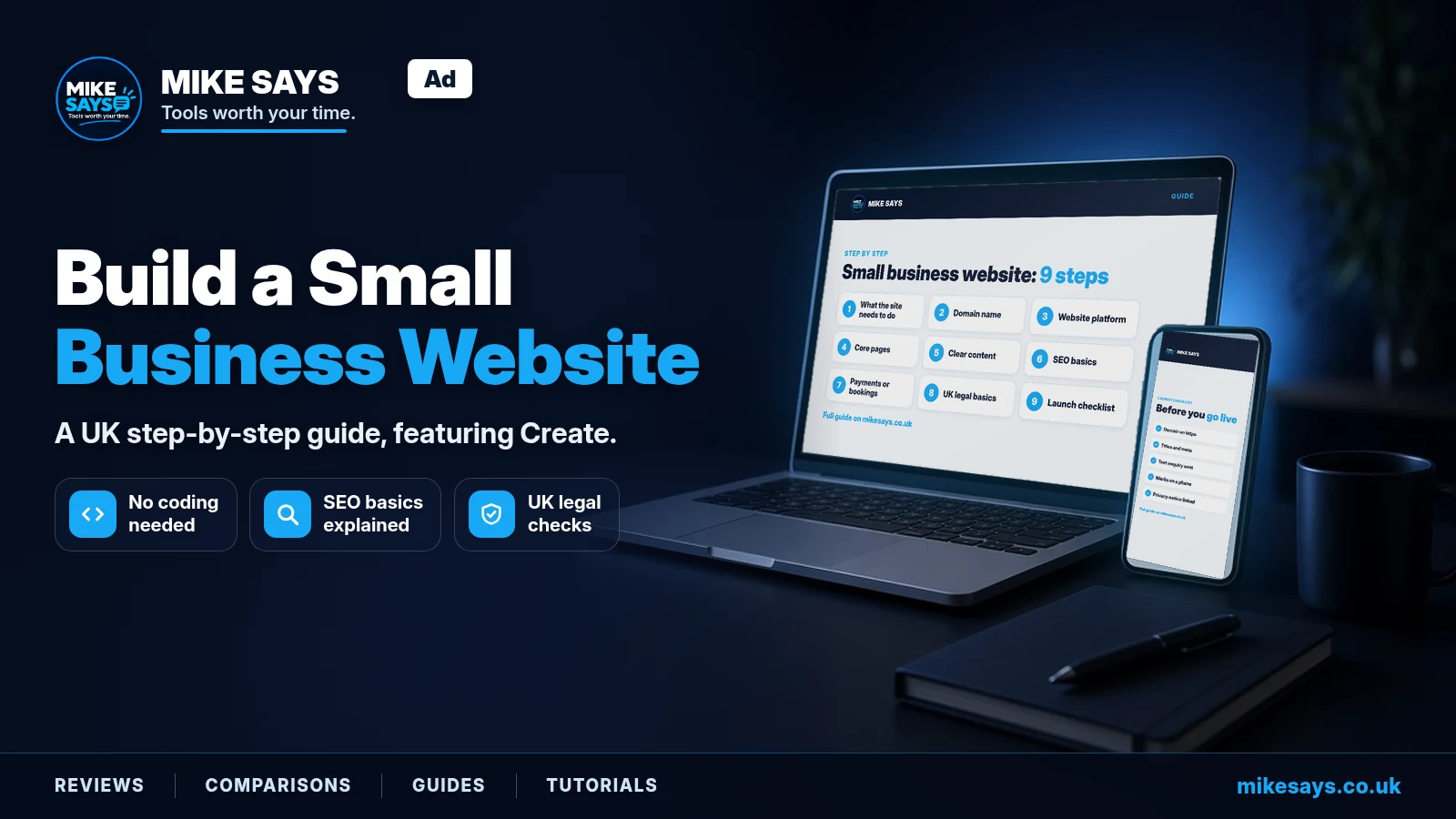
This guide contains Create affiliate links. If you sign up through a labelled link, Mike Says may earn a commission at no extra cost to you. See the affiliate disclosure. Mike has not personally tested Create. The Create details below come from create.net's own pricing, features and terms pages, checked on 25 October 2026.
Updated: 25 October 2026 · Fact-checked against create.net's pricing page, features pages and terms and conditions: 25 October 2026
To build a small business website, pick a domain name, choose a website builder, plan five or six core pages, write clear content, set up basic SEO and test everything before you go live. For most beginners, a hosted website builder is the simplest route because hosting and security are handled for you. Create is a UK website builder worth a look if you want UK-based support and a named Account Manager, with a free trial to try it first.
Quick verdict
Good for: UK sole traders and small businesses who want a simple, hosted website with UK-based support, and small shops that don't want a platform taking a cut of each sale.
Less good for: anyone who needs built-in appointment booking (we couldn't confirm it), a big shop on a small budget, or full code-level control.
Bottom line: start the free trial, build your homepage and contact page, and check the plan limits against what you actually need before you pay.
Start a free Create trial →Affiliate link: Mike Says may earn a commission at no extra cost to you.
Key takeaways
- You don't need to code. A hosted website builder gives you templates, hosting and SSL in one subscription.
- Budget for more than the plan. A domain name is usually a separate cost. Create's terms say domain costs are not included in its subscription prices.
- Start small. A homepage, services, about, contact and a privacy notice are enough to launch.
- Match the plan to the job. Create's Portfolio plan has no shop. Professional allows 250 products. Business allows unlimited products and adds most of the advanced shop tools.
- UK-specific checks matter. Limited companies must show certain company details on their website, and most businesses need a privacy notice.
- Try before you pay. Create offers a free trial and says no credit card is needed.
How to build a small business website: step by step
1. Decide what the website needs to do
Before you pick a tool, write down the one main job of your site. For most small businesses it is one of these:
- Get enquiries: people find you, read about your services and contact you.
- Take bookings: people pick a time slot or request an appointment.
- Sell products: people browse, add to basket and pay online.
- Show your work: a portfolio for trades, makers, photographers or freelancers.
This decides which platform and plan you need. A site for enquiries needs far less than an online shop.
2. Choose and buy a domain name
Your domain is your web address, such as yourbusiness.co.uk. Keep it short, easy to spell and close to your business name.
- For a UK audience, a .co.uk or .uk address makes sense.
- Avoid hyphens and numbers if you can. They are easy to get wrong when said out loud.
- Buy it in the business's name, or your own if you're a sole trader, so you keep control of it.
You can buy a domain from a registrar, or through your website builder. Create says you can buy a domain in your Create account, transfer an existing one, or point one you already own at your Create site.
3. Choose a website platform
There are three main routes. Here's how they compare in plain terms.
| Route | What it means | Best for |
|---|---|---|
| Hosted website builder (for example Create, Wix, Squarespace) | You pay one subscription. Templates, hosting and SSL are included. You edit with drag and drop. | Beginners who want a site live quickly with little maintenance. |
| Ecommerce platform (for example Shopify) | Built around selling, with products, checkout and order tools at its core. | Businesses where the shop is the main point of the site. |
| WordPress | Very flexible, with themes and plugins. You either use hosted WordPress.com or manage your own hosting. | People who want more control and don't mind more set-up and upkeep. |
If you're a beginner and your site is mainly for enquiries or a small shop, a hosted builder is usually the easiest place to start.
4. Plan your core pages
Most small business sites only need these to launch:
- Home: what you do, who for, where, and how to get in touch. Put a clear button near the top.
- Services or products: one section or page per main service, with what's included and how to start.
- About: who's behind the business and why people can trust you.
- Contact: phone, email, a contact form if your plan has one, opening hours and your area.
- Privacy notice: how you use people's data. See the legal basics below.
- Reviews or examples of work: real testimonials or photos, if you have them.
5. Write clear content
- Lead with what the customer gets, not your company history.
- Use the words your customers use. "Boiler repair in Leeds" beats "thermal solutions".
- Keep paragraphs short. Most visitors will be on a phone.
- Use your own photos where you can. Only use other images if the licence allows business use.
- Give every page one clear next step, such as "Call now" or "Request a quote".
6. Set up the SEO basics
SEO means helping search engines understand and show your pages. You don't need to be an expert to get the basics right:
- Give each page a clear title and meta description. Create's features overview lists access to title and meta tags on all three plans.
- Use one main heading per page that says what the page is about.
- Mention your town or area naturally if you serve local customers.
- Connect Google Search Console so you can see how people find you. Create says you can connect Google Analytics and Search Console.
- Make sure you have a sitemap. Create lists an automatic sitemap on all plans.
- Set up a free Google Business Profile if you serve customers locally.
Create's own FAQ makes a fair point: the platform is set up for search engines, but ranking well still depends on your content and how you manage your online presence.
7. Add payments or bookings if you need them
Payments: if you sell online, you'll connect a payment provider. Create lists Stripe, PayPal, Klarna, Worldpay and Opayo among its payment gateways. Create says it doesn't take a cut of your sales, but the payment provider will charge its own fees. On Create, selling starts on the Professional plan.
Bookings: if customers need to book appointments, check this carefully before you choose a platform. Create lists event calendars and widgets for third-party plug-ins, but we couldn't confirm a built-in appointment booking tool on create.net. Ask Create during your trial if bookings matter to you.
8. Cover the UK legal basics
- Limited companies: GOV.UK says your website must show your company's registered number, registered office address, where it's registered (England and Wales, Scotland or Northern Ireland) and that it's a limited company, usually through its full name including "Limited" or "Ltd".
- Privacy notice: the ICO says that if your business holds personal data, such as names and email addresses from a contact form, you need a privacy notice. The ICO has a free generator for small organisations.
- Cookies: the ICO says visitors must be told if cookies are used, and you need their agreement for cookies that aren't strictly necessary, such as most analytics.
Sources: GOV.UK "Running a limited company: signs, stationery and promotional material"; ICO "Cookies and privacy notices in detail". Checked 25 October 2026. This isn't legal advice.
9. Launch checklist
- Your domain is connected and the site loads on https.
- Every page has a title, a meta description and one main heading.
- Phone numbers, email addresses and forms all work. Send yourself a test enquiry.
- The site looks right on a phone, a tablet and a laptop.
- Your privacy notice is linked from the footer and from any form.
- Company details are shown if you're a limited company.
- If you sell online, place a test order and check the confirmation email.
- Google Search Console is connected and your sitemap is submitted.
- Spelling, prices and opening hours are checked.
Why Create is worth a look
Create is a UK website builder with its registered office in Brighton. Its pricing page says it has been doing this for 20 years. Here's what it says you get:
- UK-based support and a named Account Manager on every package, according to its pricing FAQ and features page.
- Hosting and SSL included, with unlimited bandwidth on all packages.
- Drag-and-drop editing and free templates that are mobile-friendly.
- No transaction fees from Create on Professional and Business shops.
- Monthly or yearly billing, with no long contract.
- A free trial, with no credit card needed according to its homepage.
- A design service if you'd rather pay Create's designers to build the site for you.
That mix suits a beginner who wants help from a UK team rather than working everything out alone.
Create plans and UK prices
Create has three standard packages, plus a Tailored option for bigger businesses. The limits below come from Create's pricing page and features overview.
| Plan | Monthly billing | Per month, billed annually | Pages | Storage | Products | Support |
|---|---|---|---|---|---|---|
| Portfolio | £9.99/mo | £8.49/mo | 10 | 3GB | None (no shop) | UK-based email support |
| Professional | £19.99/mo | £16.99/mo | 50 | 10GB | 250 | UK-based email support |
| Business | £39.99/mo | £33.99/mo | Unlimited | 20GB | Unlimited | UK-based priority support |
Prices and plan limits checked on 25 October 2026 on create.net. Tailored pricing isn't listed above. Create's terms say subscription prices include VAT and exclude domain registration, renewal and transfer costs. Prices and limits may change, so check Create's pricing page before you sign up.
Other differences worth knowing, from Create's pricing page and features overview:
- Custom forms: none listed on Portfolio, 3 on Professional, 15 on Business.
- Website administrators: 1 on Professional, 3 on Business.
- Payment gateways: up to 2 on Professional, 3 on Business.
- Business-only shop tools: abandoned basket recovery, digital products, Google Shopping, Klarna and PayPal pay later, Pinterest shopping, product customisation and Royal Mail Click & Drop integration.
- Tailored: for larger businesses. Create says all limits can be removed and priority UK telephone support can be added. Contact Create for a quote.
You can upgrade at any time from your Create account, according to its pricing FAQ.
See Create's current plans and prices. Affiliate link · Mike Says may earn a commission at no extra cost to you.
Pros and limitations
Pros
- UK-based support and a named Account Manager on every package.
- Hosting, SSL and unlimited bandwidth included.
- Create's terms say subscription prices include VAT, which makes budgeting simpler.
- No Create transaction fees on its shop plans.
- Monthly or yearly billing, and you can cancel at any time.
- A free trial with no card needed.
Limitations
- Portfolio has no shop and no custom forms. If you need an enquiry form, check with Create or look at Professional.
- Many shop tools are Business-only, including abandoned basket recovery, digital products and Google Shopping.
- Domains cost extra. They aren't included in the subscription price.
- Trial length isn't stated on the pages we checked.
- Built-in appointment booking isn't confirmed on create.net.
- Cancelling is done by email to your Account Manager, according to Create's terms, rather than a button.
Who Create suits
- Sole traders and small UK businesses who want a simple, professional site without coding.
- People who value UK-based support and a named contact.
- Small shops that want to avoid platform transaction fees.
- Makers and retailers who post with Royal Mail and want Click & Drop integration (Business plan).
- Anyone who wants the option of paying Create's in-house designers to build the site.
Who should skip it
- You need built-in appointment booking. Check first, or look at a tool built around bookings.
- You need lots of products on a tight budget. Professional stops at 250 products, and many shop tools sit on Business.
- You want full control of the code and plugins. WordPress may suit you better.
- You want a free plan for the long term. Create offers a free trial, but we didn't see a free plan on its pricing page.
Fair alternatives
These are worth comparing. There are no affiliate links in this section, and we haven't listed their prices because we didn't check them today. Check each official site for current plans.
- Wix: a drag-and-drop website builder. Its site says it has a free plan, 2,000+ templates, built-in AI tools and custom domains.
- Squarespace: a template-led website builder. Its site offers a free trial, AI website builder tools and domains.
- Shopify: a commerce platform built around selling online and in person. A strong choice when the shop is the main point of your site. If you go this way, see our guide to automating Shopify with Make.
- WordPress.com: hosted WordPress with themes and built-in hosting. Its site says a free plan is available. More flexible, with more to learn.
- Systeme.io: an all-in-one tool for funnels, email and courses that includes a website builder. Better for selling courses or running email funnels than for a classic local business site. Read our Systeme.io review.
Try Create for your small business website
Start the free trial, build your homepage and contact page, and check the plan limits against what you need before you pay.
Start a free Create trial →Affiliate link: Mike Says may earn a commission at no extra cost to you.
FAQs
How much does a small business website cost in the UK?
It depends on the platform. With a website builder you usually pay a monthly or yearly subscription, plus a domain name, plus any paid extras such as design help. Create's terms say its subscription prices include VAT but exclude domain registration, renewal and transfer costs. Check the current price on Create's pricing page before you sign up, because prices can change.
Is VAT included in Create's prices?
Yes. Create's terms and conditions say its subscription prices include VAT. Domain registration, renewal and transfer costs are not included.
Does Create have a free trial?
Yes. Create's homepage offers a free trial and says no credit card is needed. The pages we checked on 25 October 2026 did not state how long the trial lasts, so check when you sign up.
What happens when the Create trial ends?
Create's terms say access ends when the trial period expires. Create then emails you an invitation to subscribe. If you don't subscribe within 90 days of that invitation, the terms say your account content will be deleted.
Can I sell products on Create's Portfolio plan?
No. Create's pricing page lists products only on Professional (250 products) and Business (unlimited products). Portfolio is for a non-shop website.
Does Create charge transaction fees?
Create's features page says it doesn't take a cut of your sales, and its features overview lists no transaction fees on Professional and Business. Your payment provider, such as Stripe or PayPal, will still charge its own fees.
Can I use my own domain name with Create?
Yes. Create says you can buy a domain in your Create account, transfer one in, or point a domain you already own at your Create website.
Is there a contract with Create?
Create's pricing page says you can pay monthly or yearly and cancel at any time. Its terms say you cancel by emailing your Account Manager, and the account closes the day before your next payment is due.
Does my small business website need a privacy notice?
Almost certainly. The ICO says that if your business holds personal data, such as names and email addresses, you need a privacy notice. The ICO has a free privacy notice generator for small organisations.
Related guides
Systeme.io review 2026: free plan, pricing and features
Make webhooks to Google Sheets: capture leads automatically
How to automate Gmail with Make
What is workflow automation?
All Mike Says guides
Create is a trademark of its owner. Mike Says is not sponsored or endorsed by Create, except as an independent participant in the Create affiliate programme.