Maia by Make 2026: Features, Free Trial and How It Works
Maia is Make's conversational AI co-worker. Instead of building every automation manually, you can describe what you want in plain language and watch Maia build the workflow visually inside Make.
Mike Says is a Make affiliate. If you register through a Make affiliate link on this page and later make a qualifying purchase, Mike Says earns commission at no extra cost to you. This guide is based on Make's published plans and docs.
Published: 11 September 2026 · Updated: 26 October 2026 · Fact-checked: 26 October 2026 against Make's Maia pricing help page. Features and plan limits can change while Maia is in public beta.
Quick answer
Maia is Make's conversational AI co-worker, and Make's help centre says it is in public beta. On the Free plan you get a 30-day trial from signup, with 45 free messages. On paid plans, access is unlimited, and each message uses Make credits.
Checked 26 October 2026 on Make's Maia pricing help page.
Want to try Maia?
Maia is in public beta. On the Free plan, Make includes a 30-day trial from signup with 45 free messages. Checked 26 October 2026 on Make's Maia pricing help page.
Try Make free →Affiliate link · I may earn commission from a qualifying purchase at no extra cost to you.
What is Maia by Make?
Maia is an AI assistant built directly into Make's visual Scenario Builder. Make calls it a conversational AI co-worker that lets you build automations and AI Agents in plain language. Make's help centre says Maia is in public beta on all paid plans. On Free plans, Maia is available for a 30-day trial from signup.
Make describes Maia as a conversational co-worker rather than a separate chatbot. It works on the same canvas where Make scenarios are built, so you can see modules, routes, connections and logic as they are created.
How does Maia work?
You start by describing the outcome you want. Maia interprets the request, maps the flow, selects suitable tools, configures modules and can ask clarifying questions when it needs more information.
The scenario appears visually as Maia works. You can review it, ask for changes and edit the scenario yourself before deploying it. That visibility is one of Maia's main selling points: the generated automation is not hidden behind generated code.
What can you build with Maia?
Make says Maia can build both automations and Make AI Agents using its app ecosystem. Official examples include lead-management workflows, data syncing, customer-support sentiment analysis and multi-step AI Agents.
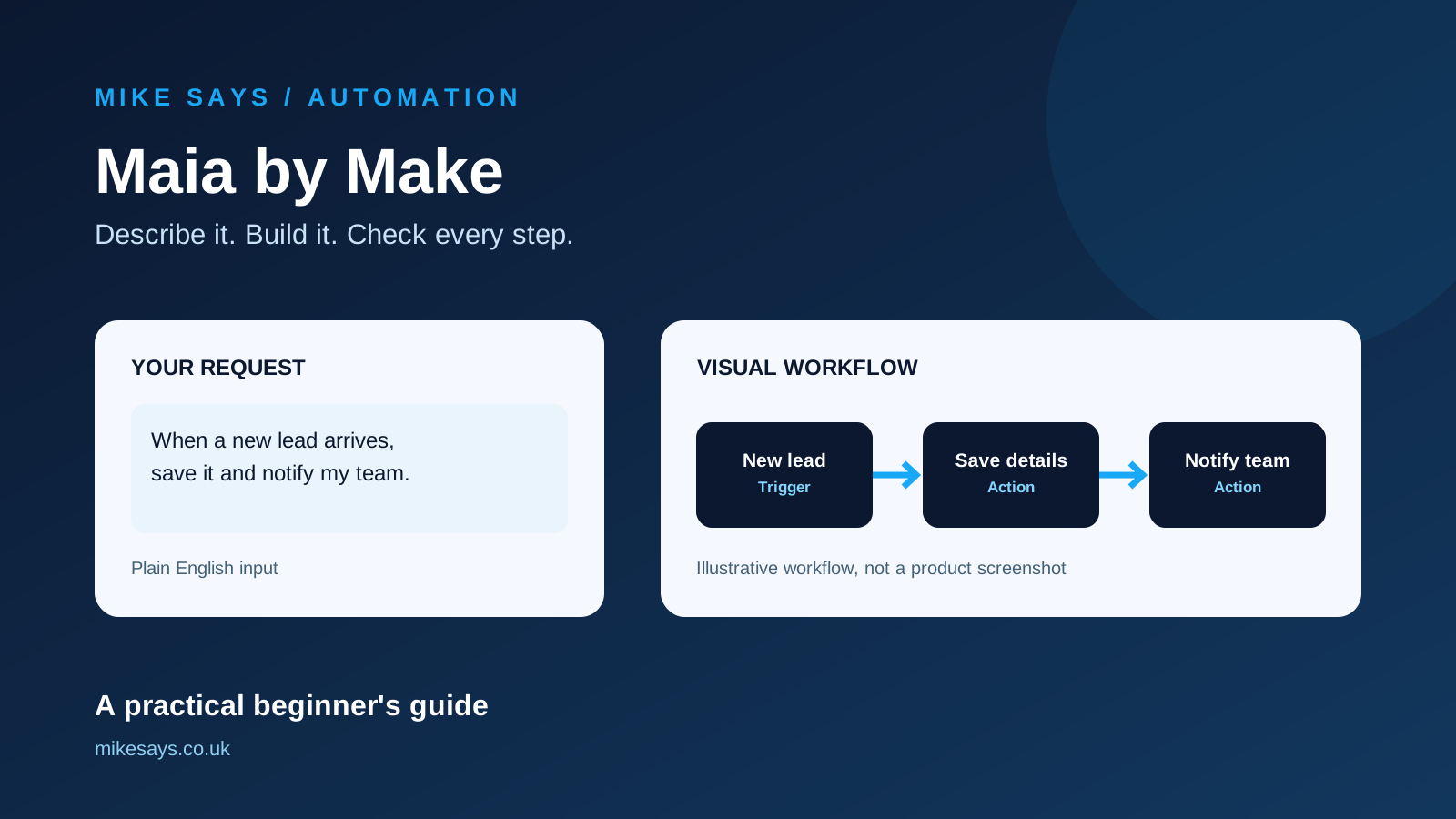
A simple example could be asking Maia to create a workflow that watches for a new lead, prepares a summary and sends it to a team chat. The point is that you describe the outcome instead of manually working out the entire scenario structure first.
Can Maia edit existing Make automations?
Yes. Make says Maia can help maintain and enhance existing automations and AI Agents, explain their logic, update them and help troubleshoot failing steps. That means it is not only aimed at first-time Make users.
Is Maia good for beginners?
This is where Maia could have the most immediate value. Make has always been visual, but building a useful multi-step scenario still means understanding triggers, actions, connections and data mapping. Maia is designed to reduce that initial learning barrier.
You still need to understand what your automation should achieve and review what has been built. I would not treat AI-generated automation as something to switch on blindly, especially when it handles important emails, customer data or business actions.
Is Maia free?
Only as a Free-plan trial. Make's help centre says Free users get a 30-day trial from signup, with 45 free messages. Once you hit that limit, or the trial ends, you need a paid Make plan to continue.
Paid plans have unlimited access to Maia, but each message uses credits. The number of credits depends on the task and how many tokens the model uses. The cost is the same on every plan. Make's examples on the help page are 140.04 and 160.18 credits for a message. Maia draws from the same credit pool as scenarios. Checked 26 October 2026 on Make's Maia pricing help page.
For current Make plan prices and the wider platform, see my Make.com review.
Maia vs building manually in Make
| Maia | Manual Scenario Builder |
|---|---|
| Describe the outcome in plain language | Select and connect modules yourself |
| Maia can map and configure the workflow | You configure each step directly |
| Useful for getting from an idea to a first build | Maximum direct control from the beginning |
| Result stays visual and editable | Result is visual and editable |
| Can help explain and troubleshoot | You troubleshoot manually or use other help |
Maia vs vibe coding
Both approaches let you start with natural language, but Make's distinction is visibility. Maia builds inside the visual Scenario Builder rather than simply handing you generated code. You can inspect the modules and connections and change them directly.
What I like about the idea
The strongest part of Maia is not simply that it uses AI. It is that the AI is being used to reduce the gap between knowing what you want to automate and knowing how to construct it in Make.
Keeping the finished workflow visible is also important. It should make it easier to learn from what Maia creates instead of becoming dependent on a black-box builder.
What should you watch out for?
Maia does not remove the need to check an automation before switching it on. Connections, filters, data mappings and actions can have real consequences. Test new scenarios with safe data first and make sure you understand what will happen when the trigger runs.
Free users should also remember that Maia access is a 30-day trial with 45 messages, not unlimited permanent usage. On paid plans, messages use credits.
Is Maia by Make worth trying?
Yes, particularly if the Make learning curve has previously put you off. The Free plan includes a 30-day Maia trial with 45 messages, so you can try it before you pay. Maia is in public beta, and Make says the details can change.
For experienced Make users, the more interesting use may be faster scenario creation, maintenance, explanation and debugging rather than replacing the visual builder.
Try Maia before paying for Make
Create a Free account, give Maia a real automation idea and check the scenario it creates before deciding whether you need a paid plan.
Try Make free →Affiliate link · I may earn commission from a qualifying purchase at no extra cost to you.
Frequently asked questions
What is Maia by Make?
Maia is Make's conversational AI co-worker. It is built into Make so you can build automations and AI Agents in plain language. Make's help centre says Maia is in public beta.
How does Maia work?
You describe the outcome you want. Maia creates scenarios, modifies existing ones and fixes errors in the Scenario Builder. The result stays visible, so you can review it and edit it yourself.
What can you build with Maia?
Make says Maia can build automations and AI Agents in plain language. The scenario stays on the visual canvas, so you can review it and edit it.
Can Maia edit existing Make automations?
Yes. Make's help centre says Maia creates scenarios, modifies existing ones and fixes errors in the Scenario Builder.
Is Maia good for beginners?
It can help if you know what you want to automate but not which Make modules to use. You still need to check the scenario before you turn it on, especially when it handles email, customer data or business actions.
Is Maia free?
Only for a limited trial on the Free plan. You get 30 days from signup and 45 free messages. After the limit or the trial ends, you need a paid plan. Paid plans have unlimited access, and each message uses credits from the same pool as scenarios. Make's examples show 140.04 and 160.18 credits for a message. The cost is the same on every plan. Checked 26 October 2026 on Make's Maia pricing help page.
What should you watch out for?
Maia does not remove the need to test a scenario before you switch it on. On the Free plan, access is a 30-day trial with 45 messages. On paid plans, messages use credits. Maia is in public beta, so the limits can change.
Is Maia by Make worth trying?
The Free plan includes a 30-day trial with 45 messages, so you can try Maia before you pay. It is most useful if the Make learning curve has put you off. Maia is in public beta, and the details can change. This guide is based on Make's published plans and docs.
More Make guides
See my 10 Make automation ideas, Gmail automation guide, or Make vs Zapier comparison.