Make Pricing 2026: Plans, Credits and Costs
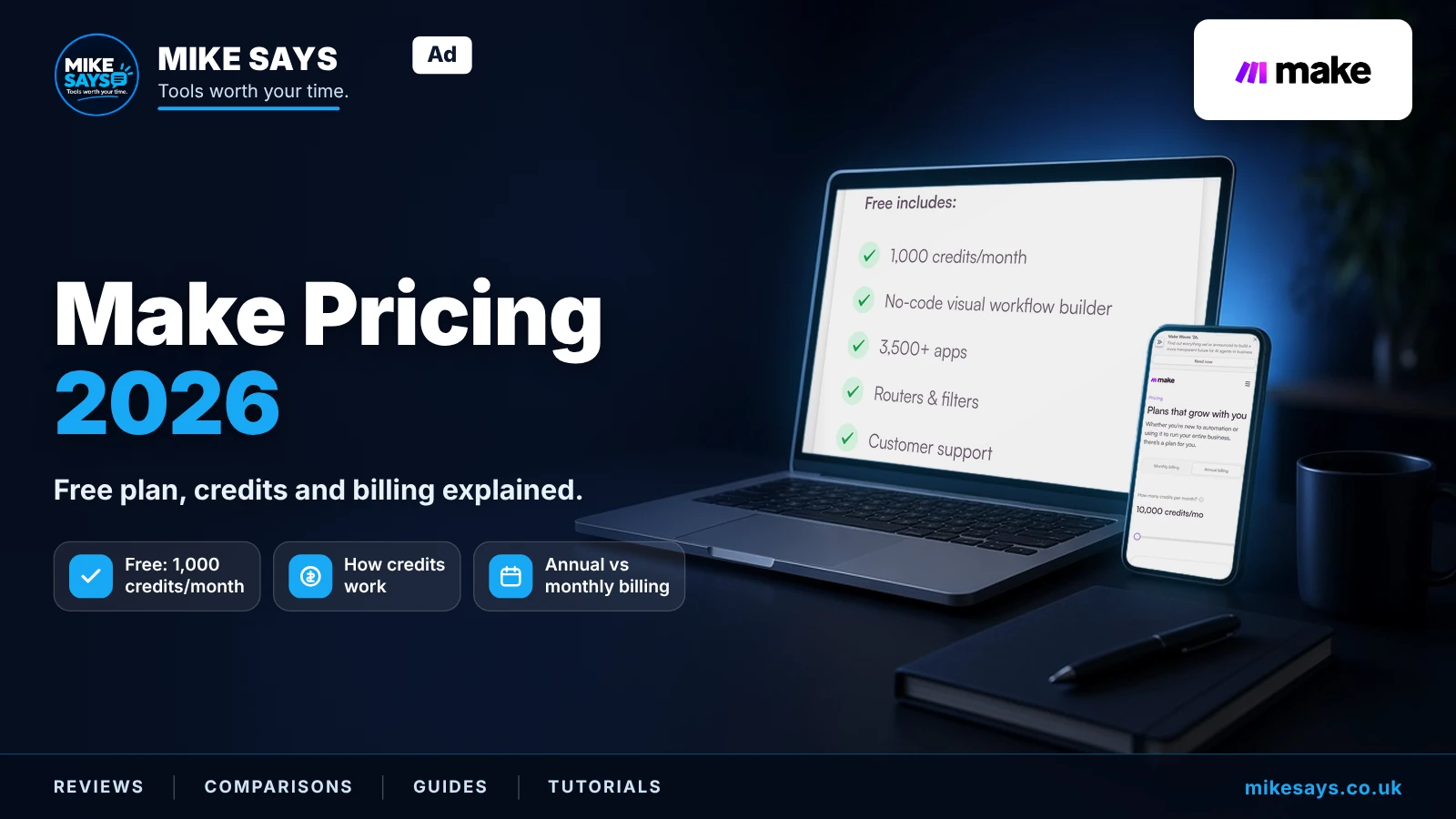
We may earn a commission if you sign up through our links, at no extra cost to you.
Quick answer
Make's Free plan includes 1,000 credits a month, 2 active scenarios, a 15-minute minimum interval and a 5-minute maximum run time. At 10,000 credits a month, billed annually, Core is $12, Pro is $21 and Teams is $38, shown as $1.20, $2.10 and $3.80 per 1,000 credits. Enterprise is custom pricing. Annual billing is the view Make shows first, and this page does not list full monthly plan prices.
Prices are in US$, as shown to UK buyers; VAT may be added at checkout. Checked 26 October 2026 on the official pricing page.
See Make plans. Affiliate link · I may earn commission from a qualifying purchase at no extra cost to you.
The price scales with the number of credits you choose. Make's pricing page has a credits slider that starts at 10,000 a month. Pick more credits and the price goes up.
If you're new, start on Free, build one real scenario, and see how many credits it uses before you pay.
Affiliate link · I may earn commission from a qualifying purchase at no extra cost to you.
Make pricing at a glance
Prices at the default 10,000 credits a month, in US dollars, billed annually. It is cheaper billed annually. See Make plans. The annual figures in this table were checked on 26 October 2026, and they are the figures to use. Affiliate link · I may earn commission from a qualifying purchase at no extra cost to you.
| Plan | Billed annually | Per 1,000 credits | Main additions |
|---|---|---|---|
| Free | $0 (1,000 credits) | — | Visual builder, 3,500+ apps, routers and filters, 2 active scenarios, 15-minute minimum interval |
| Core | $12/month | $1.20 | Unlimited active scenarios, scheduling down to 1 minute, more data transfer, Make API |
| Pro | $21/month | $2.10 | Everything in Core, plus priority scenario execution, custom variables, full-text execution log search |
| Teams | $38/month | $3.80 | Everything in Pro, plus teams and team roles, creating and sharing scenario templates |
| Enterprise | Custom | — | Enterprise apps, 24/7 Enterprise support, SSO, on-prem agent, custom functions, overage protection |
The per-1,000-credit lines are the figures on the annual plan cards at 10,000 credits. Make does not label them as the extra-credit price. On monthly billing, the Core card shows $1.60 per 1,000 credits. Prices are in US$, as shown to UK buyers; VAT may be added at checkout. Checked 26 October 2026 on the official pricing page.
Move the credits slider above 10,000 and each paid plan costs more.
Want to try Make before paying?
Make's Free plan includes 1,000 credits a month. The pricing page checked on 26 October 2026 does not state an end date for it.
Try Make free →Affiliate link: I may earn a commission at no extra cost to you.
How credits work
Credits are Make's billing unit. They replaced “operations” on 27 August 2025. Make says plan pricing and the cost of credits didn't change with the rename.
- For non-AI apps, 1 operation is 1 credit. Reading, searching, creating, updating or deleting data, transforming, aggregating and iterating all count.
- Router modules and error handler modules don't use credits.
- Some AI and advanced features use a varying number of credits, based on tokens, file size, pages or run time.
- Make AI Agents use credits based on tokens and operations when you use Make's AI Provider. The rate depends on the model. On paid plans you can connect your own AI provider; then Make charges credits for operations and you pay the provider for tokens. More in the Make AI Agents guide.
- Want to build by describing what you need in plain English? See the Maia by Make guide.
One run is not one credit. A two-step scenario that runs 100 times uses about 200 credits. A bigger scenario can use many more per run.
Based on Make's published plans and docs, a setup that pulls GA4 and Search Console data into Google Sheets uses credits for each module action, so writing lots of rows costs more than writing a summary.
What happens if you run out of credits
- When you run out, scenarios stop until credits are added.
- Incoming webhooks queue up to your queue allowance and process once you top up.
Your options:
- Upgrade your plan, or move the credits slider up.
- Buy extra credits in bundles of 1,000 or 10,000.
- Turn on auto-purchase, which buys another 10,000 credits before you run out (Core, Pro and Teams only).
On annual billing at 10,000 credits, the plan cards show $1.20 per 1,000 credits on Core, $2.10 on Pro and $3.80 on Teams. On monthly billing, the Core card shows $1.60 per 1,000 credits. Make does not label these lines as the price of extra credits. Extra credits are sold in bundles of 1,000 or 10,000 at the fixed price defined in your subscription. If you top up often, compare that cost in your account with a larger credit tier before you buy. Checked 26 October 2026 on the official pricing page.
When credits expire
- Credits don't roll over. They expire at the end of the term.
- Monthly billing: extra credits expire at the end of the current billing cycle.
- Annual billing on Pro and Teams: you get the whole year's credits up front, and extra credits last until the end of the billing year.
- Annual billing on Core: credits still reset monthly, and extra credits expire at each monthly reset.
Annual vs monthly billing
At 10,000 credits, billed annually, Core is $12 a month, Pro is $21 and Teams is $38. Make's annual billing view showed a Save 25% badge on Core, Pro and Teams on 26 October 2026. You pay the whole year up front. Monthly prices are not listed on this page. See Make plans. Use the annual prices above at the default 10,000-credit slider. Affiliate link · I may earn commission from a qualifying purchase at no extra cost to you.
The catch is how credits arrive. Pro and Teams on annual billing get a yearly pot of credits to use flexibly. Core on annual billing still gets a monthly allowance. So annual Core costs less than monthly Core, but it doesn't give you flexibility across months.
If you downgrade, you're charged straight away and a new billing cycle starts. Unused credits move across to the new plan. Active scenarios that use higher-plan features will stop.
Make Free plan
- $0, and no credit card needed. The pricing page checked on 26 October 2026 does not state an end date for the Free plan.
- 1,000 credits a month. Make's pricing FAQ says that equals 1 MB of data storage and 1 data store.
- 2 active scenarios.
- 15-minute minimum interval between scheduled runs.
- 5-minute maximum scenario run time.
- 5 MB maximum file size, 512 MB data transfer, and 7 days of execution log storage.
- Visual builder, routers and filters, 3,500+ apps. Make API, the Make Code app, custom variables and Make Grid are not included.
- Customer support is described as 90-day expert access to get started.
It's a proper free tier for learning and light use. It's not enough for regular business automation.
Core, Pro and Teams
Core ($12 a month billed annually at 10,000 credits, shown as $1.20 per 1,000 credits) is the first paid step. It adds unlimited active scenarios, scheduling down to 1 minute, a 40-minute maximum run time, a 100 MB maximum file size, 5 GB data transfer per 10,000 credits, and the Make API at 60 calls per minute. Make Grid is included. Custom variables, full-text log search and priority execution are not. Credits stay monthly even on annual billing. Checked 26 October 2026 on the official pricing page.
Pro ($21 a month billed annually) includes everything in Core, plus priority scenario execution, custom variables and full-text execution log search. It also gets the yearly credit pot on annual billing.
Teams ($38 a month billed annually) includes everything in Pro, plus teams and team roles, and creating and sharing scenario templates. Only worth it if more than one person builds or manages scenarios.
See Make plans. Affiliate link · I may earn commission from a qualifying purchase at no extra cost to you.
Make says all paid plans include Make AI Agents and Make Grid.
Enterprise
Enterprise is custom-priced. Make lists enterprise apps (such as Workday finance modules, Coupa, ServiceNow, Greenhouse and Infor M3), SSO via OAuth2 or SAML2, on-prem agents for local networks, custom functions, audit logs and overage protection. The pricing page checked on 26 October 2026 describes Enterprise support as 24/7 Enterprise support and 24/7 top-priority assistance from senior specialists. It does not publish a response-time or uptime figure, so this page does not state one. Enterprise customers can also pay by wire transfer after invoice.
Discounts
- Annual billing at 10,000 credits is Core $12, Pro $21 and Teams $38 a month, with the Save 25% badge Make showed on those plans on 26 October 2026. See Make plans. Affiliate link · I may earn commission from a qualifying purchase at no extra cost to you.
- Non-profits (NGOs and NPOs) can contact Make for details.
Our affiliate link doesn't come with any special offer.
Currency and tax
- Make's pricing page shows prices in US dollars.
- Prices are in US$, as shown to UK buyers; VAT may be added at checkout. This guide does not state a VAT rate or a pound price.
- Payment methods listed on 26 October 2026 were all major credit cards, ACH direct debit and Google Pay. Enterprise customers can also pay by wire transfer after invoice.
Because prices are in dollars, the cost in pounds can move with the exchange rate.
Which plan suits whom
| You are… | Plan to look at | Why |
|---|---|---|
| Learning Make or testing one idea | Free | 1,000 credits a month and 2 active scenarios |
| Running a few regular automations on your own | Core | Unlimited active scenarios, 1-minute scheduling, from $12/month billed annually. See Make plans. Affiliate link · I may earn commission from a qualifying purchase at no extra cost to you. |
| Running busier workflows and wanting a yearly credit pot | Pro (annual) | Yearly credit pot plus priority execution |
| Several people building and sharing scenarios | Teams | Team roles and shared templates |
| A large organisation needing SSO or enterprise apps | Enterprise | Custom pricing and support |
Is Make good value?
The entry plans are reasonably priced for what you get. The costs to watch are credits that expire, AI features that use credits by tokens, and dollar pricing. Estimate your usage on the Free plan first, then set the credits slider to match.
For the full picture, read the Make review. To compare alternatives, see Make vs Zapier and Make vs n8n.
Try Make
Start on the Free plan and build one scenario before you choose a credit allowance.
Start on Make's Free plan →Affiliate link: I may earn a commission at no extra cost to you.
FAQs
How much does Make cost?
Free is $0. At 10,000 credits a month, billed annually, Core is $12, Pro is $21 and Teams is $38. The annual cards show $1.20, $2.10 and $3.80 per 1,000 credits for Core, Pro and Teams. Enterprise is custom pricing. Prices are in US$, as shown to UK buyers; VAT may be added at checkout. Checked 26 October 2026 on the official pricing page. See Make plans. Affiliate link · I may earn commission from a qualifying purchase at no extra cost to you.
Is Make cheaper if I pay annually?
At 10,000 credits, Core is $12, Pro is $21 and Teams is $38 a month on annual billing. Make showed a Save 25% badge on those annual prices on 26 October 2026. Monthly plan prices are not listed on this page. Checked 26 October 2026 on the official pricing page. See Make plans. Affiliate link · I may earn commission from a qualifying purchase at no extra cost to you.
Does the Free plan expire?
Make's pricing page, checked 26 October 2026, does not state an end date for the Free plan. It lists 1,000 credits a month, 2 active scenarios, a 15-minute minimum interval and a 5-minute maximum run time.
What's a credit?
Credits are Make's billing unit. From 27 August 2025, credits replaced operations. For non-AI features, one operation uses one credit. Some AI features use more credits. Router modules and error-handler modules use no credits.
What do extra credits cost?
On annual billing at 10,000 credits, the plan cards show $1.20 per 1,000 credits on Core, $2.10 on Pro and $3.80 on Teams. On monthly billing, the Core card shows $1.60 per 1,000 credits. Make does not label these lines as the extra-credit price. Extra credits come in bundles of 1,000 or 10,000 at the fixed price defined in your subscription. Checked 26 October 2026 on the official pricing page.
Do credits roll over?
No. They expire at the end of the term. Annual Pro and Teams get a yearly pot, and extra credits on those plans last until the end of the billing year. Core resets monthly.
What currency are prices in?
Make's pricing page shows prices in US dollars. Prices are in US$, as shown to UK buyers; VAT may be added at checkout. Checked 26 October 2026 on the official pricing page.
Do I pay tax?
Make's pricing page shows US dollars and does not state a VAT rate. Prices are in US$, as shown to UK buyers; VAT may be added at checkout.
Is there a coupon for Make?
We don't know of a public coupon, and our link doesn't add one.
What are the Make Free plan limits?
Checked 26 October 2026, the Free plan includes 1,000 credits a month, 2 active scenarios, a 15-minute minimum interval and a 5-minute maximum run time. The comparison table also lists a 5 MB maximum file size, 512 MB data transfer and 7 days of execution log storage. Make's pricing FAQ says 1,000 credits equals 1 MB of data storage and 1 data store.
What does the Make Core plan include?
At 10,000 credits, billed annually, Core is $12 a month, shown as $1.20 per 1,000 credits. It includes everything in Free, plus unlimited active scenarios, scheduling down to 1 minute, a 40-minute maximum run time, 100 MB maximum file size, 5 GB data transfer per 10,000 credits, and the Make API at 60 calls per minute. Make Grid is included. Custom variables, full-text log search and priority execution are not included. Checked 26 October 2026 on the official pricing page.
Does Make charge per operation or per credit?
Make charges in credits. From 27 August 2025, credits replaced operations, and existing operations converted at a ratio of 1 to 1. Most actions use 1 credit. Some advanced and AI features use more. Router and error-handler modules use no credits.
Related guides
Make review
Make vs Zapier
Make vs n8n
Make AI Agents
Maia by Make
Best Make automations
Make and the Make logo are trademarks of Celonis. Mike Says is not sponsored or endorsed by Make or Celonis.
Also see Make vs Activepieces.