Home / Guides / Relay.app shut down: best replacements
Ad · Make affiliate guideRelay.app shut down: best replacements
This guide contains Make affiliate links. If you register through one and later buy a qualifying subscription, Mike Says may earn commission at no extra cost to you. Links to Zapier, n8n, Power Automate, IFTTT and Pipedream are not affiliate links. This is a research-based guide. It does not claim that anyone at Mike Says personally tested these tools.
Published: 29 September 2026 · Updated 27 October 2026
Quick answer
Relay.app shut down in September 2026, and all accounts, workflows and run history were permanently deleted. Source: relay.app, checked 27 October 2026.
Make is our lead pick for most former Relay users. The free plan includes 1,000 credits a month, two active scenarios, routers and filters, so you can rebuild a workflow before you pay. Core is $12 a month, billed annually, at 10,000 credits.
Affiliate link. Mike Says may earn commission from a qualifying purchase at no extra cost to you.
Prices are in US$ unless stated, as shown to UK buyers; VAT may be added at checkout. Plan details below were checked on 27 October 2026.
What happened to Relay.app?
Relay.app is closed. The home page says it shut down in September 2026, and that all accounts, workflows and run history have been permanently deleted. Checked 27 October 2026 on relay.app.
There is nothing left in Relay to open or copy. The pricing page returns a 404. The docs site redirects to the home page. There are no current plans, prices or limits.
Historical only, not current prices. Archived October 2025 figures were a free allowance of 200 steps and 500 AI credits, and Professional at $19 a month billed annually. Those figures are historical. Do not treat them as a price you can pay now.
If you still have notes, screenshots or copies you kept outside Relay, use those. Do not wait for the old workflows to come back. The published notice says they were permanently deleted.
Replacements at a glance
Five tools are covered below. Make is the lead pick for most former Relay users. The others suit narrower cases. Pipedream Workflows is not on the list.
| Tool | Suits former Relay users who | Free plan | Entry price | Billing unit |
|---|---|---|---|---|
| Make | Need to rebuild multi-step workflows and want a free plan first | 1,000 credits a month, 2 active scenarios | Core $12 a month, billed annually, at 10,000 credits | Credit. Most actions use 1 |
| Zapier | Want a simple two-step Zap free, or multi-step Zaps on a paid plan | 100 tasks a month, two-step Zaps only | Professional $19.99 a month on yearly billing for 750 tasks, or $29.99 monthly | Task. A successful action step |
| n8n | Want to self-host, or pay per whole workflow run | No free cloud plan. Free self-hosted Community Edition | Not settled. Rendered page: Starter $20 a month billed annually, or $24 monthly. Raw HTML: 20€ | Execution. One run of the whole workflow |
| Power Automate | Already work in Microsoft 365 | Free licence for work or school accounts, standard connectors only | Premium $15.00 per user a month, paid yearly (US page). UK page: £11.50 excluding VAT | Per user or per bot licence, plus a daily action cap |
| IFTTT | Only need a simple consumer or smart-home applet | 2 Applets, unlimited runs | Pro $2.99 a month billed yearly ($35.88 a year), or $4.99 monthly | Applet count, not runs |
Prices are in US$ unless stated, as shown to UK buyers; VAT may be added at checkout. Checked 27 October 2026. n8n's currency is not settled: the rendered page showed dollars and the raw HTML showed euros. This page does not convert one into the other.
1. Make
Who it suits: most former Relay users. You need to rebuild workflows, and Make's free plan lets you do that with routers and filters before you pay. Read the Make review, the Make pricing guide and Make vs Zapier.
Free plan: $0. 1,000 credits a month, 2 active scenarios, a 15-minute minimum interval and a 5-minute maximum execution time. It includes 3,500+ apps, routers and filters.
Entry price: Core is $12 a month, billed annually, at 10,000 credits. At that tier you get unlimited active scenarios, a 1-minute interval and a 40-minute maximum execution time. The price rises if you move the credit slider up. Pro is $21 a month and Teams is $38 a month, both billed annually at 10,000 credits. Enterprise is custom. Monthly Make prices are not listed on this page.
Billing unit: the credit. Most module actions use 1 credit. Some AI features use more. Router and error-handler modules use none. Credits replaced operations on 27 August 2025, at a ratio of 1 to 1.
Key limits: Make is cloud only. There is no self-hosting. Maia, the AI builder, is in public beta and uses credits on paid plans. See Maia by Make before you rely on it.
Checked 27 October 2026 on Make's pricing page. The billing-unit change is described in Make's credits help article.
Affiliate link. Mike Says may earn commission from a qualifying purchase at no extra cost to you.
2. Zapier
Who it suits: former Relay users who want a small two-step automation on the free plan, or multi-step Zaps on Professional. It also suits someone who wants the 14-day Professional trial. No credit card is required for that trial.
Free plan: $0, described as free forever. 100 tasks a month. Zaps are two-step only. Polling is every 15 minutes. The plan includes 1 seat, unlimited Zaps, Tables and Forms. Code steps get 1 second of runtime.
Entry price: Professional starts at 750 tasks for $19.99 a month on yearly billing, or $29.99 a month if you pay monthly. That tier includes multi-step Zaps, 2-minute polling, 1 seat and unlimited premium apps. The next tier, 1,500 tasks, is $39 a month on yearly billing or $58.50 a month on monthly billing. The pricing page does not show an annual total, so this guide does not calculate one. Team starts at 2,000 tasks for $69 a month on yearly billing, or $103.50 a month on monthly billing, with 25 users, 1-minute polling, shared Zaps and SAML SSO. Enterprise is contact sales.
Billing unit: the task, meaning a successful action step. Triggers, polling, Filter, Formatter, Paths, Delay and similar built-in steps do not count. An MCP tool call costs 2 tasks. AI by Zapier tasks vary by model tier.
Key limits: Zapier is cloud only. There is no self-hosting. Over the task limit, you either use pay-per-task billing, capped at 3 times the plan's task limit, or the Zaps pause. Zapier's page can also show prices in GBP. Those GBP amounts were not recorded on 27 October 2026, so they are not listed here.
Checked 27 October 2026 on Zapier's pricing page and the Zapier help article on tasks.
3. n8n
Who it suits: former Relay users who want to self-host, or who run a multi-step workflow often and would rather pay for each whole run than for each step. See Make vs n8n for a wider comparison. There is no n8n affiliate link on this page.
Free plan: there is no free cloud plan. You can self-host the Community Edition at no charge. It offers almost the complete feature set. It does not include custom variables, environments, external secrets, external binary storage, log streaming, multi-main mode, projects, SSO, sharing or Git version control. A free registered licence key unlocks folders, debug in editor and custom execution data.
The cloud trial does not need a credit card. Its limits are 1,000 executions, 5 concurrent executions, a 180-second timeout, 800 Assistant credits and 100 AI credits. The pricing page does not say how long that Cloud trial lasts. The Business trial is 14 days and needs a card.
Entry price: not settled, because the page disagreed with itself on currency. On 27 October 2026 the rendered pricing page showed Starter at $20 a month billed annually, or $24 a month on monthly billing, for 2,500 executions. The raw HTML showed Starter at 20€ and Pro at 50€. This guide does not convert those figures.
On the rendered page, Pro was $50 a month billed annually, or $60 monthly, for 10,000 executions. The raw HTML showed Pro at 50€. The page shows Pro concurrency as 20/50, so this guide does not pick one of those numbers. Business is self-hosted only. The raw HTML and the rendered page did not agree on the Business price, so no Business price is given here. Enterprise is custom.
Billing unit: the execution. That is one run of a whole workflow, however many steps it has. That is the main contrast with Zapier tasks and Make credits.
Key limits: Starter includes unlimited steps, 5 concurrent executions, 1 shared project, 1,600 Assistant credits and a maximum execution time of 5 minutes. All plans include unlimited users and workflows. Overage is capped. Cloud data is hosted in Frankfurt. The licence is the Sustainable Use License. Use is allowed only for your own internal business purposes, or for non-commercial or personal use. It is fair-code, not OSI open source.
Checked 27 October 2026 on n8n pricing, the Community Edition docs and the n8n licence.
4. Power Automate
Who it suits: former Relay users in a Microsoft 365 shop. It fits if the work already sits in Microsoft 365, or if you have a work or school account that includes the free licence. For a wider comparison, read Make vs Power Automate.
Free plan: the Power Automate Free licence is included at no cost for work or school accounts in a Microsoft Entra tenant. It covers cloud flows without sharing, plus authoring and running desktop flows locally in attended mode. It is limited to standard connectors. Other Microsoft 365, Dynamics 365 and Power Platform licences include a limited set of Power Automate.
Entry price: Premium is $15.00 per user a month, paid yearly, on the US page, in US dollars. It includes cloud flows, attended desktop flows (RPA), process and task mining with 50 MB, and Dataverse (250 MB database, 2 GB file). No monthly price is shown. Process is $150.00 per bot a month, paid yearly, for unattended RPA. Hosted Process is $215.00 per bot a month, paid yearly, for a Microsoft-hosted virtual machine. The Process Mining add-on is $5,000 per tenant a month. Microsoft says the prices shown are for marketing purposes only.
On the UK (en-GB) page the same plans are shown, in this order, as £11.50, £115.30, £165.30 and £3,844.80. Each line says the price does not include VAT. This page does not convert pounds into dollars.
Billing unit: a licence per user (Premium) or per bot (Process), plus a daily action limit. That limit is 40,000 actions a day per Premium user and 250,000 per Process licence. It is not charged per task.
Key limits: Power Automate is a cloud service. There is no self-hosting. Desktop flows run on your own Windows machines. The free licence is limited to standard connectors, and its cloud flows are not for sharing.
Checked 27 October 2026 on the US pricing page, the UK pricing page and Microsoft Learn (Learn page dated 22 September 2026).
5. IFTTT
Who it suits: only former Relay users whose old setup was a simple consumer or smart-home applet. IFTTT is not a match for multi-step business automation. If the workflow branched, wrote to several business apps, or needed filters a team relies on, use Make, Zapier, n8n or Power Automate instead.
Free plan: $0.00, described as forever. 2 Applets, standard Applet speeds and unlimited Applet runs.
Entry price: Pro is $2.99 a month billed yearly, which is $35.88 billed annually, or $4.99 a month if you pay monthly. Pro includes 20 Applets, multi-action Applets, webhooks and the fastest speeds. Pro+ is $8.99 a month billed yearly ($107.88 billed annually), or $14.99 a month on monthly billing. Pro+ includes unlimited Applets, AI services, queries and filters, and multiple accounts.
Billing unit: the number of Applets, not the number of runs. Runs are unlimited.
Key limits: there is no self-hosting. The free plan stops at 2 Applets. IFTTT is aimed at consumer and smart-home tasks.
Checked 27 October 2026 on IFTTT's plans page. The page showed US dollars.
Not a recommendation. Pipedream Workflows is not taking new signups or subscriptions, and it shuts down on 31 March 2027. Checked 27 October 2026 on Pipedream's workflows notice.
Moving off Relay: what to do now
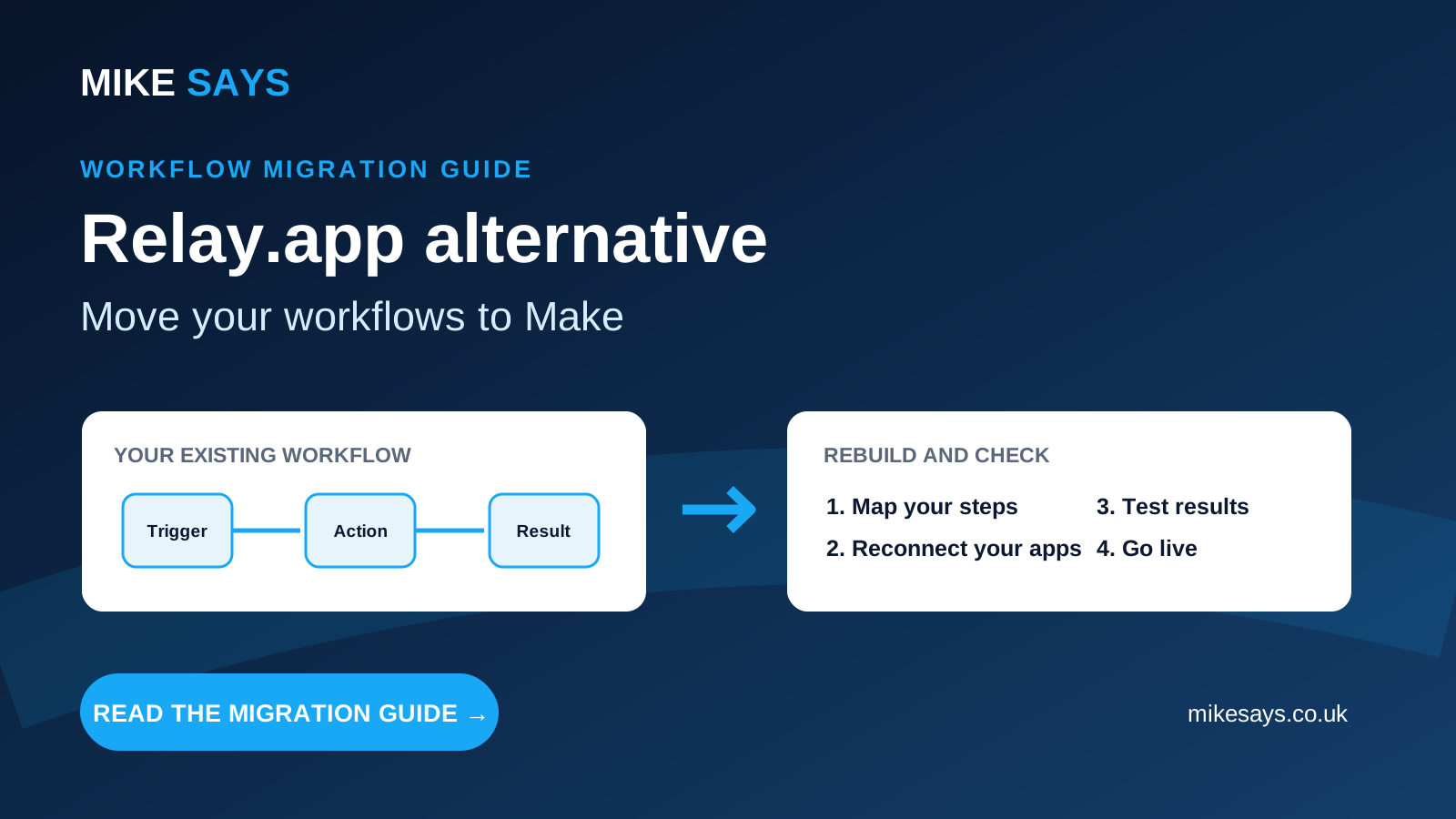
Relay has deleted the accounts, workflows and run history. There is no account left to open. The practical job is to write down what you remember, then build it again in the new tool.
- List each workflow from memory. Use notes, screenshots, old emails or any copy you already kept outside Relay.
- Write the logic down. Record the trigger, each step, any conditions and the result you needed.
- Start with the workflow that matters most. Pick the one that causes the biggest problem if it stays off.
- Rebuild it in the new tool. Connect each app again. Logins from Relay do not carry over.
- Test with sample data. Check filters, duplicates, dates and the place the result lands.
- Watch the first runs. Note how many credits, tasks or executions one real run uses before you pay for a larger plan.
- Put human checks back. If a person used to approve a step, add that check in the new tool. Do not swap a human decision for an automatic one unless you mean to.
Example: an email-to-spreadsheet workflow
You might remember a workflow that watched a mailbox, kept some messages and added details to a spreadsheet. Write that down first. In Make, the rebuild could be an email trigger, a filter and a spreadsheet action that adds a row. Test a message that should be kept, one that should be skipped, and a duplicate.
For a full walkthrough of that pattern, see how to save Gmail emails to Google Sheets with Make.
Frequently asked questions
Is Relay.app shut down?
Yes. Relay.app shut down in September 2026, and all accounts, workflows and run history were permanently deleted. Checked 27 October 2026 on relay.app.
What is a Relay.app alternative?
Make is our lead pick for most former Relay users. Its free plan includes 1,000 credits a month, two active scenarios, routers and filters, so you can rebuild before you pay. Core is $12 a month, billed annually, at 10,000 credits. Zapier, n8n and Power Automate suit narrower cases. IFTTT is only for a simple consumer or smart-home task.
What replaced Relay.app?
The Relay.app home page does not name a replacement. It states that Relay.app shut down in September 2026 and that accounts, workflows and run history were permanently deleted. This guide treats Make as the lead replacement for most former users. You have to rebuild each workflow from your own notes.
Can I export my Relay.app workflows?
No. Accounts, workflows and run history were permanently deleted. There is no remaining Relay account to copy them from. List what you remember, and use notes, screenshots or copies you already kept outside Relay.
Is Pipedream a replacement for Relay.app?
No. Pipedream Workflows is not taking new signups or subscriptions, and it shuts down on 31 March 2027. This page does not recommend it.
Rebuild one workflow in Make
Start with the workflow you can describe from memory. Use the free plan, test it, and check the credit use before you pay.
Affiliate link. Mike Says may earn commission from a qualifying purchase at no extra cost to you.
Official sources
- Relay.app home page, checked 27 October 2026
- Make pricing, checked 27 October 2026
- Make credits billing unit
- Make plans Affiliate link. Mike Says may earn commission from a qualifying purchase at no extra cost to you.
- Zapier pricing, checked 27 October 2026
- Zapier help article on tasks
- n8n pricing, checked 27 October 2026
- n8n Community Edition
- n8n Sustainable Use License
- Power Automate pricing (US), checked 27 October 2026
- Power Automate pricing (UK), checked 27 October 2026
- Power Automate licence types, page dated 22 September 2026
- IFTTT plans, checked 27 October 2026
- Pipedream Workflows shutdown notice, checked 27 October 2026
Related guides
Make vs Zapier
Make review
Make pricing
Maia by Make
Make vs n8n
Make vs Power Automate
Make AI Agents
See our Zapier alternatives guide.