Zapier alternatives in 2026
This article contains Make affiliate links. If you sign up through a labelled link and later make a qualifying purchase, Mike Says may earn a commission at no extra cost to you. Mike has not personally tested Make, Zapier, n8n, IFTTT or Power Automate. Prices and limits come from each company's own pages, checked on 27 October 2026. Links to tools other than Make are plain official links. Read the affiliate disclosure.
Updated 27 October 2026
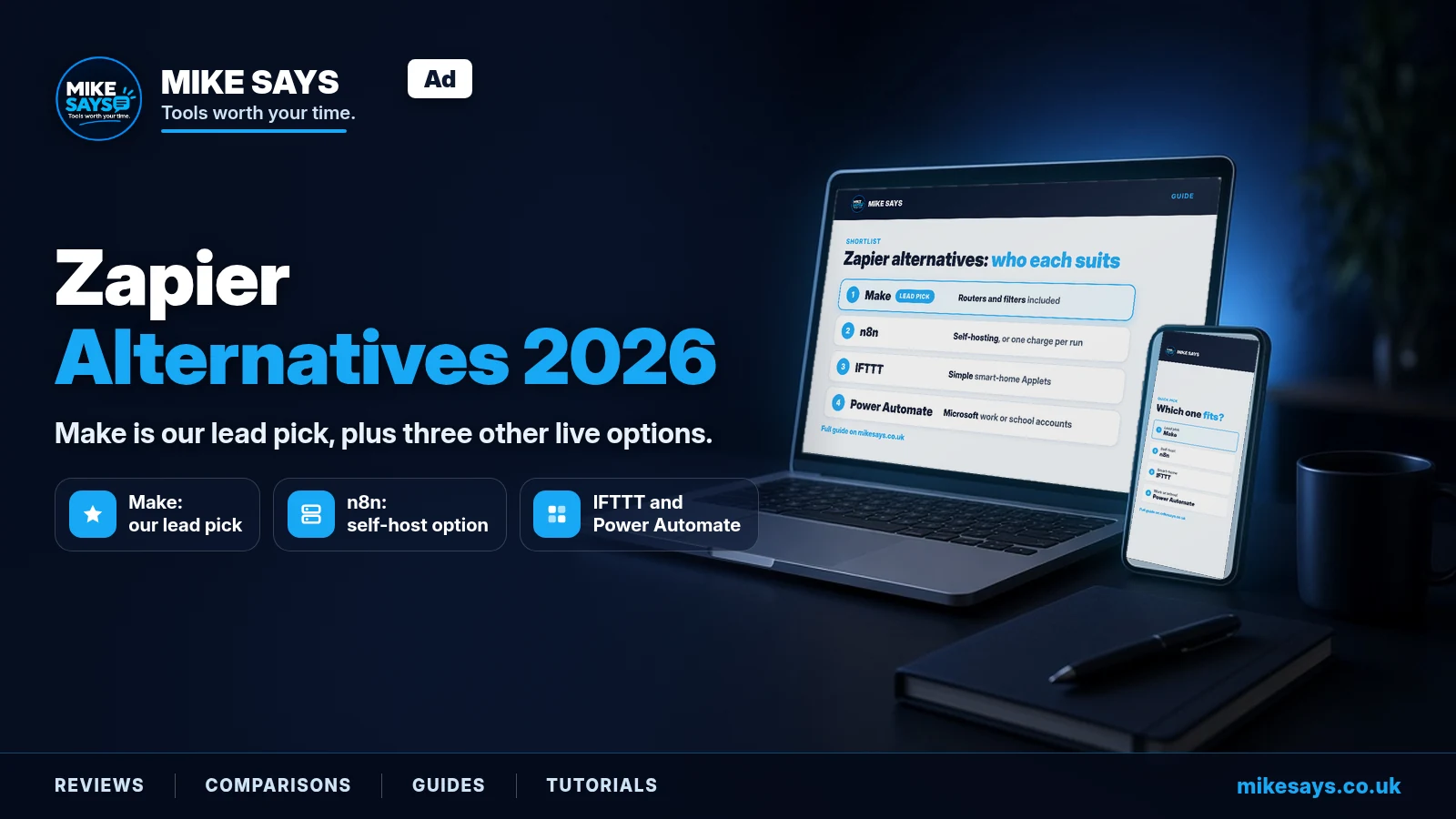
This is a buyer's shortlist of Zapier alternatives. Make is our lead pick. n8n, IFTTT and Microsoft Power Automate are the other live options in this check.
Quick answer
Make is our lead pick. Core is $12 a month billed annually for 10,000 credits. The Free plan includes 1,000 credits a month, two active scenarios, routers and filters.
Zapier Professional starts at $19.99 a month for 750 tasks when billed yearly. A Make credit and a Zapier task are different units, so compare them on one real workflow.
See Make plans →Affiliate link. Mike Says may earn a commission at no extra cost to you.
How these prices work
These tools do not share a billing unit. Read the unit before you compare the monthly figure.
- Zapier charges a task. A task is a successful action step.
- Make charges a credit. Most module actions use one credit.
- n8n charges an execution. That is one run of a whole workflow, however many steps it has.
- IFTTT charges by how many Applets you have. Runs are unlimited.
- Power Automate sells a licence per user, or per bot. It also has a daily action limit. It is not charged per task.
For the two-tool version of Make and Zapier, use Make vs Zapier. This page is the wider shortlist.
Comparison table
Prices checked 27 October 2026. Each tool name links to the official pricing page used for this check.
| Tool | Free plan | Entry paid price | Billing unit | Self-host |
|---|---|---|---|---|
| Zapier | Yes. 100 tasks a month, two-step Zaps, 15-minute polling | Professional: $19.99 a month billed yearly for 750 tasks, or $29.99 a month billed monthly | Task (a successful action) | No |
| Make | Yes. 1,000 credits a month, 2 active scenarios, 15-minute minimum interval | Core: $12 a month billed annually at 10,000 credits. Monthly price not listed in this guide | Credit (about 1 per action) | No |
| n8n | No free cloud plan. Free Community Edition if you self-host | Starter: $20 a month billed annually, or $24 a month billed monthly, for 2,500 executions | Execution (one whole workflow run) | Yes |
| IFTTT | Yes. 2 Applets, unlimited runs | Pro: $2.99 a month billed yearly ($35.88 a year), or $4.99 a month billed monthly | Applet count | No |
| Power Automate | Free licence for work or school accounts, standard connectors only | Premium: $15.00 per user a month, paid yearly (US page). UK page: £11.50 per user a month, paid yearly, excluding VAT. No monthly price shown | Per user, or per bot for Process | No. Desktop flows run on your own Windows machines |
Prices are in US$ unless stated, as shown to UK buyers; VAT may be added at checkout.
Make's figure is the annual price at 10,000 credits. This guide does not list Make's monthly prices. Power Automate's pound price is the en-GB page figure and excludes VAT. The linked Power Automate page is the US pricing page. n8n's dollar prices are what the rendered pricing page showed. The page's raw HTML also showed euro amounts, including a Business price of 667€ against a rendered $800. Those euro figures are not confirmed as the price to pay. See the n8n section.
Zapier, the baseline
Zapier is the product these alternatives get compared with. It is cloud only. There is no self-hosting.
Free plan
Zapier calls the free plan Free forever. It costs $0. You get 100 tasks a month, two-step Zaps only, and 15-minute polling. The plan includes 1 seat, unlimited Zaps, Tables and Forms. Code steps get 1 second of runtime.
Entry price and billing unit
Professional starts at 750 tasks for $19.99 a month on yearly billing, which is the default on the pricing page. Monthly billing is $29.99 a month. The annual total is not shown, only the per-month figure. The pricing page can also show pounds. Those GBP prices were not captured, so they are not listed here.
The next Professional tier is 1,500 tasks at $39 a month yearly, or $58.50 a month monthly. Team starts at 2,000 tasks for $69 a month yearly, or $103.50 monthly. Enterprise is contact sales.
A task is a successful action step. Triggers, polling, Filter, Formatter, Paths, Delay and similar built-in steps do not count. An MCP tool call costs 2 tasks. AI by Zapier tasks vary by model tier. Source: Zapier's task article.
Key limits
- Free plan: 100 tasks a month, two steps per Zap, 15-minute polling, 1 seat, code steps limited to 1 second.
- Professional: multi-step Zaps, 2-minute polling, 1 seat, unlimited premium apps. It still starts at one seat.
- Team: 25 users, 1-minute polling, shared Zaps, SAML SSO, from 2,000 tasks.
- Over the task limit, you either use pay-per-task billing, capped at 3 times the plan's task limit, or the Zaps pause.
- There is a free 14-day trial of Professional. No credit card is required.
Where Zapier is weaker
The free plan cannot run a Zap with more than two steps. Polling on Free is 15 minutes. Multi-step work, and premium apps, need Professional. You cannot self-host it. One seat is the limit until Team.
If a two-step Zap is all you run, staying can still be the right call. That choice is covered below.
Make, the lead pick
Who it suits
Make suits you if you want routers and filters on a free plan, and a published Core price of $12 a month for 10,000 credits on annual billing. It is a weak fit if you need to self-host, or if the free plan's two active scenarios and five-minute run cap are too tight for the job.
The wider product comparison with Zapier is on Make vs Zapier. Plan detail is on the Make pricing guide and the Make review.
Free plan
Free is $0. You get 1,000 credits a month, 2 active scenarios, a 15-minute minimum interval and a 5-minute maximum execution time. The pricing page includes 3,500+ apps, plus routers and filters, on this plan.
Entry price and billing unit
Core is $12 a month billed annually at 10,000 credits. At the same credit tier and annual billing, Pro is $21 a month and Teams is $38 a month. Enterprise is custom. This guide lists those annual prices only.
The billing unit is the credit. Most module actions use 1 credit. Some AI features use more. Router and error-handler modules use none. Credits replaced operations on 27 August 2025, at a rate of 1 to 1.
The $12 price is the 10,000-credit tier. The price rises as you move the credit slider. Confirm the tier on Make's pricing page before you pay.
Affiliate link. Mike Says may earn a commission at no extra cost to you.
Key limits
- Free: 1,000 credits a month, 2 active scenarios, 15-minute minimum interval, 5-minute maximum run.
- Core: unlimited active scenarios, 1-minute interval, 40-minute maximum execution time, at the $12 / 10,000-credit annual tier.
- No self-hosting.
- Maia, the AI builder, is in public beta and uses credits on paid plans. See Maia by Make.
Pros and limitations
Pros
- The free allowance is 1,000 credits, with routers and filters included.
- Core's published annual entry price at 10,000 credits is $12 a month.
- Core removes the two-scenario cap, shortens the interval to one minute and allows a 40-minute run.
- Routers and error handlers do not use credits.
Limitations
- You cannot self-host Make.
- Free stops at two active scenarios and a five-minute run.
- A workflow above 10,000 credits a month costs more than the $12 entry price. The slider sets the tier.
- Some AI steps use more than one credit. Maia uses credits on paid plans, and it is still in public beta.
n8n
Who it suits
n8n suits you if you want one charge per workflow run, however many steps that run contains, or if you want to self-host. It is a weak fit if you want a free cloud plan. The licence also limits use to your own internal business purposes, or to non-commercial or personal use.
Make vs n8n compares the two products in more detail. Use the prices in this section for the 27 October 2026 check.
Free plan
There is no free cloud plan. You can self-host the Community Edition. n8n says the Community Edition includes almost the complete feature set. A free registered licence key unlocks folders, debug in editor and custom execution data.
The Community Edition lacks custom variables, environments, external secrets, external binary storage, log streaming, multi-main mode, projects, SSO, sharing and Git version control. Details are on the Community Edition page.
The Sustainable Use License allows use "only for your own internal business purposes or for non-commercial or personal use". n8n calls this fair-code. It is not OSI open source.
Entry price and billing unit
Starter is $20 a month billed annually, or $24 a month billed monthly. That plan includes 2,500 executions a month. Pro is $50 a month annually, or $60 monthly, for 10,000 executions. Business is self-hosted only, at $800 a month annually or $960 monthly. Enterprise is custom.
The billing unit is the execution: one run of a whole workflow, however many steps it has. Every plan includes unlimited users and workflows. n8n says overage is capped. No cap figure was captured, so it is not listed here.
There is a cloud trial with no credit card required. The limits shown are 1,000 executions, 5 concurrent executions, a 180-second timeout, 800 Assistant credits and 100 AI credits. The length of that cloud trial is not stated on the page, so it is unconfirmed. The Business trial is separate: 14 days, and it needs a card.
Currency clash, not confirmed: the rendered pricing page showed these dollar prices. The raw HTML showed euros, including Starter at 20€, Pro at 50€ and Business at 667€. Business at 667€ does not match Business at $800 like for like. This guide uses the rendered dollar prices. Check n8n's pricing page before you pay.
Key limits
- Starter: 2,500 executions a month, unlimited steps, 5 concurrent executions, 1 shared project, 1,600 Assistant credits, 5-minute maximum execution time.
- Pro: 10,000 executions. The pricing page shows concurrency as 20/50. This guide does not collapse that into one number.
- Cloud data is hosted in Frankfurt.
- No free cloud plan. Community Edition is the free route, with the licence limits above.
Pros and limitations
Pros
- A many-step workflow still counts as one execution.
- Steps are unlimited on Starter. Users and workflows are unlimited on every plan.
- You can self-host the Community Edition for your own internal or personal use.
Limitations
- There is no free cloud plan. Starter is $20 a month on annual billing. Make Core, at 10,000 credits on annual billing, is $12 a month. The units differ.
- Starter allows 5 concurrent runs and a 5-minute maximum execution time.
- The Community Edition omits projects, SSO, sharing, Git and the other admin features listed above.
- The Sustainable Use License is for your own internal business use, or for non-commercial or personal use. It is fair-code, not OSI open source.
- The cloud trial length is unconfirmed. The dollar and euro price displays do not agree.
IFTTT
Who it suits
IFTTT suits you if you want a small number of consumer or smart-home Applets, and you care about how many Applets you can create rather than how often they run. It is a weak fit for multi-step business automation.
Free plan
Free is $0.00, and IFTTT describes it as forever. You get 2 Applets, standard Applet speeds and unlimited Applet runs.
Entry price and billing unit
Pro is $2.99 a month billed yearly, which the page shows as $35.88 billed annually, or $4.99 a month billed monthly. Pro includes 20 Applets, multi-action Applets, webhooks and the fastest speeds.
Pro+ is $8.99 a month yearly, shown as $107.88 billed annually, or $14.99 a month billed monthly. Pro+ includes unlimited Applets, AI services, queries and filters, and multiple accounts.
The billing unit is the Applet count. Runs are unlimited on the plans above. There is no self-hosting. Prices are on IFTTT's plans page.
Key limits
- Free: 2 Applets.
- Pro: 20 Applets, even though runs are unlimited.
- Unlimited Applets start on Pro+, not on Pro.
- No self-hosting.
Pros and limitations
Pros
- The published Pro price is $2.99 a month on yearly billing.
- Runs are unlimited, including on the free plan. The bill follows the Applet count.
- Pro adds multi-action Applets and webhooks. Pro+ removes the Applet cap.
Limitations
- IFTTT is aimed at consumer and smart-home use. It is a weak fit for multi-step business automation.
- Free is capped at two Applets. Pro is capped at 20.
- The plans page shows "Try it free" on Pro. The trial terms were not captured, so they are unconfirmed and not described here.
Microsoft Power Automate
Who it suits
Power Automate suits you if you already have a work or school Microsoft account and you want cloud flows, or attended desktop flows on your own Windows PCs, inside that account. It is a weak fit if you do not have that kind of account. The free licence in this check is for work or school accounts, and it covers standard connectors only. Unattended robotic process automation uses the Process licence, at a separate price.
The two-tool comparison is Make vs Power Automate. The figures below are from the 27 October 2026 check.
Free plan
Microsoft's licensing page, dated 22 September 2026, says the Power Automate free licence is included at no cost for work or school accounts in a Microsoft Entra tenant. It covers cloud flows without sharing, plus authoring and running desktop flows locally in attended mode. It is limited to standard connectors.
Other Microsoft 365, Dynamics 365 and Power Platform licences include what Microsoft calls a limited set of Power Automate. This check did not list which connectors that set contains.
Entry price and billing unit
Premium is $15.00 per user a month, paid yearly, on the US pricing page. The en-GB page showed £11.50 per user a month, paid yearly. The UK page says the price does not include VAT. No monthly billing price is shown.
You pay for a user licence, or for bot capacity on Process. You do not pay per task. The licensing page also sets a daily action limit: 40,000 a day per Premium user, and 250,000 per Process licence.
The same pages list three higher prices, all paid yearly:
- Process (unattended RPA): $150.00 per bot a month on the US page, or £115.30 per bot a month on the UK page.
- Hosted Process (a Microsoft-hosted virtual machine): $215.00 per bot a month, or £165.30.
- Process mining add-on: $5,000 per tenant a month, or £3,844.80.
Microsoft says the prices shown are for marketing purposes only. UK figures exclude VAT. The en-GB page is Power Automate pricing for the UK. Licence rules are on Microsoft Learn.
Key limits
- Premium includes cloud flows, attended desktop flows, process and task mining with 50 MB, and Dataverse with a 250 MB database and 2 GB of file capacity.
- The free licence is limited to standard connectors, and its cloud flows cannot be shared.
- There is no self-hosted edition of the cloud service. Desktop flows run on your own Windows machines.
Pros and limitations
Pros
- Work and school accounts can start on a free licence.
- Premium is priced per user, at $15.00 or £11.50 a month on yearly billing, rather than per task.
- A Premium user gets a 40,000-action daily limit, which is a cap, not a per-action charge.
Limitations
- The free licence in this check is for work or school accounts, and only standard connectors.
- Unattended RPA jumps to $150.00 or £115.30 per bot a month. Hosted Process and the mining add-on are higher again.
- You cannot see a monthly price on the pricing page. The listed prices are paid yearly.
- Trial length is unconfirmed. The pricing page says a 30-day trial. The Learn page describes a 90-day user-licence trial, with Premium capabilities except AI Builder credits and storage. They may be different trials. This guide does not treat either length as settled.
Closed or closing tools
These two are not picks.
Relay.app shut down in September 2026. Its site says all accounts, workflows and run history have been permanently deleted. There is no current plan or price. Dates published by other sites, for when free and paid access ended, are unconfirmed, so they are not repeated here. If you still need to rebuild an old workflow, see the Relay.app alternative guide.
Pipedream Workflows is closing. Pipedream's docs say Workflows and String shut down on 31 March 2027. Workflows are in maintenance mode. They no longer accept signups or subscriptions, and they get no new features. Pipedream says it will cancel subscriptions on 31 March 2027, with a prorated refund, and delete Workflows data by 30 April 2027. Pipedream Connect, a separate developer product, is unaffected. It is not listed here as a Zapier alternative. Do not start a new workflow on Pipedream Workflows.
Who should stay on Zapier
Leave Zapier when the free plan's two-step rule, or the task price, blocks the workflow you actually run. Stay when Zapier already matches the job.
- A two-step Zap is enough. Free forever covers 100 tasks a month, unlimited Zaps, Tables and Forms, and 15-minute polling. You do not need another product for that.
- You want multi-step Zaps and premium apps. Professional starts at $19.99 a month yearly for 750 tasks, with 2-minute polling. The 14-day Professional trial does not need a card.
- Built-in steps do not use tasks. Triggers, polling, Filter, Formatter, Paths and Delay do not count. A workflow that is mostly those steps uses fewer tasks than its step count suggests.
- You need a team. Team starts at 2,000 tasks for $69 a month yearly, or $103.50 monthly, with 25 users, shared Zaps and SAML SSO.
- You do not want to self-host. Zapier, Make, IFTTT and the Power Automate cloud service are hosted. n8n is the self-host option in this guide.
Move if you need branching on a free plan. Make Free includes routers and filters. Move if you need the software on your own server. That is n8n's Community Edition, inside its licence. Move if the job is a couple of smart-home Applets. That is IFTTT. Move if the work sits inside a Microsoft work or school tenant. That is Power Automate.
Check Make against one real workflow
Core is $12 a month billed annually at 10,000 credits. The Free plan is enough to count credits on a small scenario. Compare that count with the task count the same job would use on Zapier.
See Make plans →Affiliate link. Mike Says may earn a commission at no extra cost to you.
FAQs
What are the Zapier alternatives in this guide?
Make, n8n, IFTTT and Microsoft Power Automate. Make is our lead pick. On 27 October 2026, Make Core was $12 a month billed annually for 10,000 credits. Its Free plan includes 1,000 credits a month, two active scenarios, routers and filters. n8n is the option with self-hosting. IFTTT is for simple consumer and smart-home Applets. Power Automate is for work or school Microsoft accounts. The billing units differ, so compare them on your own workflow.
How do Make and Zapier compare?
Both are cloud only. Neither can be self-hosted. Zapier Free includes 100 tasks a month, two-step Zaps and 15-minute polling. Make Free includes 1,000 credits a month, two active scenarios, routers and filters, a 15-minute minimum interval and a 5-minute maximum run. A Zapier task is a successful action. A Make credit is usually one module action. Make routers and error handlers use no credits. Zapier triggers, polling, Filter, Formatter, Paths, Delay and similar built-in steps do not count as tasks.
How do Make and Zapier compare on price?
Checked 27 October 2026. Make Core is $12 a month, Pro is $21 and Teams is $38, each billed annually at 10,000 credits. Make's price rises if you increase the credit tier. Zapier Professional starts at 750 tasks for $19.99 a month billed yearly, or $29.99 a month billed monthly. The next Zapier tier is 1,500 tasks at $39 a month yearly, or $58.50 monthly. Zapier Team starts at 2,000 tasks for $69 a month yearly, or $103.50 monthly. Zapier does not show an annual total, only the per-month figure. This guide does not list Make's monthly prices.
Is there a free Zapier alternative?
Make, IFTTT and Zapier each have a free plan. Make Free is 1,000 credits a month and two active scenarios. IFTTT Free is two Applets, with unlimited runs. Zapier Free is 100 tasks a month and two-step Zaps. n8n has no free cloud plan. Its Community Edition is free to self-host for your own internal business purposes, or for non-commercial or personal use. Power Automate has a free licence for work or school accounts in a Microsoft Entra tenant. That licence is limited to standard connectors.
Is n8n a free Zapier alternative?
n8n Cloud has no free plan. Starter is $20 a month billed annually, or $24 a month billed monthly, for 2,500 executions. An execution is one run of a whole workflow, however many steps it contains. You can self-host the Community Edition for free, within the Sustainable Use License. n8n has a cloud trial with no credit card required. The pricing page does not say how long that trial lasts, so the length is unconfirmed. The Business trial is 14 days and needs a card.
Is IFTTT a good Zapier alternative for a business?
Only for simple consumer or smart-home Applets. IFTTT is not a match for multi-step business automation. Pro is $2.99 a month billed yearly, shown as $35.88 billed annually, or $4.99 a month billed monthly. Pro includes 20 Applets, multi-action Applets, webhooks and the fastest speeds. Runs are unlimited. The billing unit is the number of Applets, not the number of runs. There is no self-hosting.
How much does Power Automate cost in the UK?
Checked 27 October 2026. The UK page showed Premium at £11.50 per user a month, paid yearly. It says the price does not include VAT. The US page showed Premium at $15.00 per user a month, paid yearly. No monthly price is shown. Process, for unattended robotic process automation, was £115.30 per bot a month in the UK and $150.00 per bot a month in the US, paid yearly. Microsoft says the prices shown are for marketing purposes only.
Who should stay on Zapier?
Stay if a two-step Zap and 100 tasks a month are enough, or if you want multi-step Zaps, unlimited premium apps and a 14-day Professional trial with no card. Stay if you need the Team plan: 25 users, shared Zaps and SAML SSO, from 2,000 tasks at $69 a month billed yearly, or $103.50 monthly. Also stay if your Zaps rely on triggers, filters and formatters, because those built-in steps do not use tasks. Look elsewhere if you need routers on a free plan, self-hosting, or only a couple of smart-home Applets.
Related guides
These are existing Mike Says pages. Activepieces was not in the 27 October price check, so Make vs Activepieces is not scored here.
- Make vs Zapier
- Make review
- Make pricing
- Maia by Make
- Make vs n8n
- Make vs Power Automate
- Make automation ideas
- What workflow automation is
- Automation guides
- All comparisons
Official sources
Checked 27 October 2026. Prices can change. The Make button earlier on this page is the affiliate link. The Make link in this list is the public pricing page.